- Company Articles
- Products and Technology
- Product knowledge
- Adjustable Leveling Feet Load Capacity: What You Need to Know for Medical Device Workstations

Adjustable Leveling Feet Load Capacity: What You Need to Know for Medical Device Workstations
Related Product
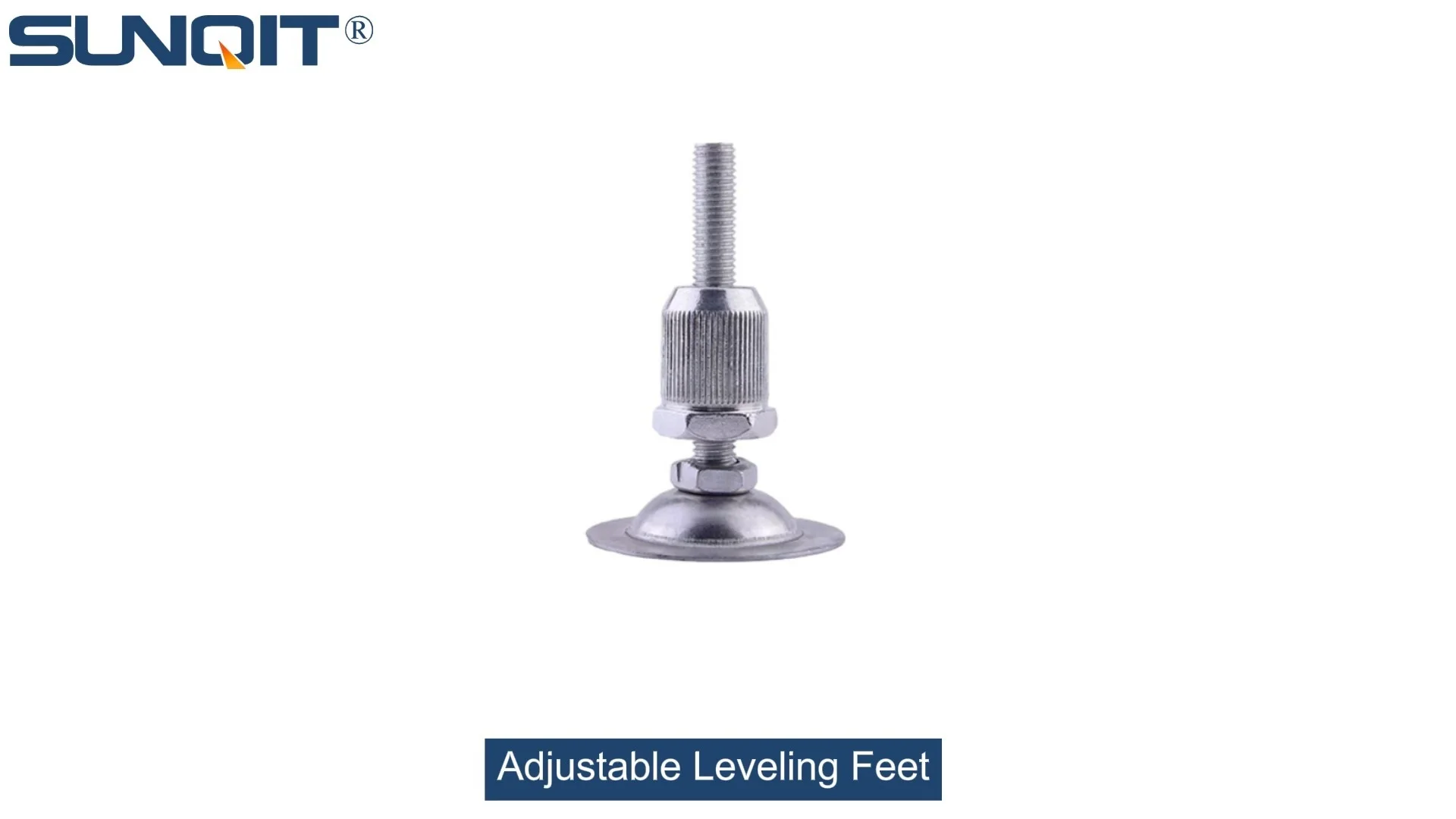
Adjustable Leveling Feet
Adjustable leveling feet are designed to keep machines level when placed on uneven or sloped ground. Otherwise known as adjustable equipment feet, they are available to order in a wide variety of size and load capacity combinations.
Walk into any medical device manufacturing lab or research facility, and you'll notice something critical: the workstations. These aren't just tables with tools—they're the backbone of precision, where delicate sensors are assembled, where life-saving devices are tested, and where compliance with strict regulations is non-negotiable. But here's a detail that often flies under the radar: the adjustable leveling feet holding those workstations steady. You might not think about them, but their load capacity can make or break everything from product quality to lab safety. Let's dive into why these small but mighty components matter, how to choose the right ones, and what happens when you get it wrong.
What Are Adjustable Leveling Feet, Anyway?
At their core, adjustable leveling feet are the unsung heroes of stable work surfaces. Think of them as the "feet" of your workstation—screwed into the bottom of the legs or frame, with a threaded stem that lets you twist them up or down. This adjustability does two key things: it compensates for uneven floors (and let's be real, even the most well-maintained labs have slightly wonky spots) and ensures the workstation sits perfectly level. But beyond that, they're designed to bear weight—sometimes a lot of it. That's where load capacity comes in: the maximum weight a single foot (or set of feet) can support without bending, breaking, or losing stability.
You'll find them made from various materials, depending on the workstation's needs. For example, aluminum profile workstations—lightweight yet durable—often pair with aluminum or stainless steel leveling feet to match their strength. In environments where static electricity is a risk (like when handling sensitive electronics in medical devices), you might see esd workstation setups using anti-static leveling feet, which dissipate charge to protect components. And yes, even the humble workbench in a small lab relies on these feet to stay steady when loaded with microscopes, centrifuges, or stacks of test samples.
Why Load Capacity Isn't Just a "Nice-to-Have" in Medical Settings
Let's get one thing straight: in medical device manufacturing, "close enough" doesn't cut it. A workstation that wobbles by even a millimeter can throw off measurements during device calibration. A leveling foot that gives way under weight could damage expensive equipment—or worse, compromise a product that ends up in a patient. Here's why load capacity deserves your full attention:
1. Precision is Non-Negotiable
Medical devices are built to tight tolerances. A pacemaker's circuit board, for example, has components smaller than a grain of rice. If the workstation shifts while soldering, that tiny misalignment could lead to a malfunction. Adjustable leveling feet with adequate load capacity keep the surface stable, even when technicians lean on the bench or equipment vibrates during operation. No wobble, no mistakes.
2. Safety for People and Products
Imagine a workstation loaded with a 500-pound imaging machine. If the leveling feet can't handle that weight, the bench could tip, sending the machine crashing to the floor. That's a hazard for anyone nearby and a costly loss for the lab. Even smaller loads add up: a workbench might hold a 200-pound analyzer, 50 pounds of reagents, and 30 pounds of tools—all day, every day. Over time, feet that are underrated for the load will wear down, increasing the risk of sudden failure.
3. Compliance with Regulations
The FDA and ISO (think ISO 13485 for medical devices) don't just care about the devices themselves—they care about the equipment used to make them. If an audit reveals your workstation's leveling feet can't support the load they're under, it could flag your facility as non-compliant. That's not just a paperwork headache; it could delay product launches or even lead to shutdowns until issues are fixed.

Key Factors That Affect Load Capacity
Load capacity isn't a random number stamped on a product. It's determined by a mix of design, materials, and engineering. Let's break down what makes one leveling foot able to handle 500 pounds and another only 100:
Material Strength: It Starts Here
The material of the leveling foot's base and stem is the first line of defense. Steel feet, for example, are tough and rigid, making them ideal for heavy loads. Stainless steel adds corrosion resistance, which is crucial in labs where spills (acids, cleaning solutions) are common. Aluminum profile workstations might use aluminum feet to keep the overall setup lightweight, but aluminum is softer than steel, so it's often reinforced with a thicker base or a steel insert in the stem for added strength.
Plastic feet are cheaper and lightweight but best for light loads—think a small workbench holding a laptop and a few tools. Avoid them in medical settings unless the load is minimal; plastic can warp under heat or heavy weight over time.
Base Size: Spreading the Weight
Ever tried standing on one foot in high heels vs. flat shoes? The high heel sinks into soft ground because the weight is concentrated on a tiny area. Leveling feet work the same way: a larger base (the part that touches the floor) spreads the load over more surface area, reducing pressure on the floor and increasing stability. A foot with a 3-inch diameter base will handle more weight than a 1-inch base, even if they're made of the same material.
Threaded Stem Design: The "Backbone" of Adjustment
The stem—the part that screws into the workstation—needs to be strong enough to support the load without bending. Look for stems with a thick diameter (1/2 inch or more for heavy loads) and coarse threads, which are stronger than fine threads. Some stems also have a hex head or wrench flat, making it easier to tighten them securely during installation—no slipping when you're torquing them down.
Adjustment Mechanism: Locking It In
What good is adjustability if the foot slips after you set it? Many leveling feet have a lock nut that tightens against the workstation leg, preventing the stem from unscrewing under vibration or weight. Without this, the foot might "walk" over time, lowering the workstation on one side and throwing off levelness. For medical labs, a lock nut isn't optional—it's a must.

Calculating Your Workstation's Required Load Capacity: A Step-by-Step Guide
Choosing the right load capacity starts with knowing how much weight your workstation actually needs to support. Here's how to calculate it, no engineering degree required:
Step 1: List All the Weight on the Workstation
Start by tallying up everything that sits on or in the workstation. This includes:
- The workstation itself: If it's a steel frame with a wooden top, check the manufacturer's specs. For an aluminum profile bench, this might be 50–100 pounds.
- Equipment: Microscopes, analyzers, 3D printers—get their weights from the user manuals. A typical medical device tester might weigh 150–300 pounds.
- Supplies: Reagent bottles, toolboxes, sample trays. A fully stocked shelf could add 50–100 pounds.
- People: Technicians might lean on the bench or place their weight on it temporarily. Estimate 200 pounds per person for this "dynamic" load.
Step 2: Add It All Up (and Then Some)
Let's say your workstation weighs 75 pounds, has a 250-pound analyzer, 75 pounds of supplies, and a technician who occasionally leans on it (200 pounds). Total load = 75 + 250 + 75 + 200 = 600 pounds. But here's the golden rule: never choose leveling feet that exactly match this number. Always add a safety margin—at least 25% more. Why? Because weights can fluctuate (maybe you add a second analyzer later), and wear and tear reduces load capacity over time. So 600 pounds + 25% = 750 pounds total. That's the minimum total load capacity your set of leveling feet needs to handle.
Step 3: Divide by the Number of Feet
Most workstations have 4 feet (one at each corner). So take your total required load (750 pounds) and divide by 4: 750 ÷ 4 = 187.5 pounds per foot. That means each leveling foot needs a load capacity of at least 187.5 pounds. To be safe, round up to the next available size—say, 200 pounds per foot. This ensures even if weight isn't perfectly distributed (e.g., the analyzer is closer to two feet), no single foot is overloaded.

Types of Adjustable Leveling Feet for Medical Workstations
Not all leveling feet are created equal. Depending on your workstation's design, environment, and load, you'll need to pick the right type. Here are the most common options in medical settings:
Threaded Stem Feet: The Classic Choice
These are the most versatile: a stem with external threads screws into a threaded hole in the workstation leg. They're easy to adjust (just twist) and come in materials like steel, stainless steel, or aluminum. Great for aluminum profile workstations, where you can drill threaded holes directly into the profile. Load capacities range from 100 pounds (small stems) up to 2,000+ pounds (heavy-duty steel stems).
Bolt-On Feet: For Extra Security
Instead of a threaded stem, these have a flat base with holes for bolts, which attach directly to the workstation frame. They're ideal for heavy loads because the bolts distribute weight across a larger area of the frame. You'll often see them on steel workbenches or esd workstation setups, where stability and grounding (via conductive materials) are key.
Swivel Base Feet: For Uneven Floors
These have a ball-and-socket joint between the stem and base, letting the foot pivot up to 15 degrees. Perfect for labs with sloped or highly uneven floors—they ensure the base stays flat on the ground, even if the stem is at an angle. Just note: swivel mechanisms can reduce load capacity slightly, so size up if you go this route.
Anti-Static (ESD) Feet: Protecting Sensitive Electronics
Medical devices often include circuit boards or microchips sensitive to static electricity. Esd workstation setups use leveling feet made with conductive materials (like carbon-infused plastic or stainless steel) that channel static charge from the workstation to the ground. These are non-negotiable in cleanrooms or electronics assembly areas—without them, a static spark could fry a $10,000 component.
Installation and Maintenance: Keeping Feet (and Workstations) Happy
Even the best leveling feet won't perform if installed poorly. Here's how to set them up for success, plus tips to keep them working long-term:
Installation: Measure Twice, Tighten Once
First, check that the workstation legs have threaded holes (for stem feet) or pre-drilled bolt holes (for bolt-on feet) that match the foot's size. Mismatched threads will strip easily, weakening the connection. When screwing in stem feet, hand-tighten first, then use a wrench to give them a 1/4-turn—over-tightening can crack aluminum legs or strip threads.
Once all feet are installed, use a spirit level to check the workstation. Adjust each foot until the bubble is centered both front-to-back and side-to-side. Then, lock the lock nuts (if included) against the leg to prevent slipping. For aluminum profile workstations, consider using thread-locking adhesive (like Loctite) on the stem threads—this adds extra security against vibration loosening.
Maintenance: A Little Check Goes a Long Way
Leveling feet aren't "set it and forget it." Every 3–6 months, inspect them for:
- Loose lock nuts: Tighten them if they've wiggled free.
- Worn or cracked bases: If the rubber or plastic base is crumbling, replace the foot immediately.
- Rust or corrosion: Stainless steel should hold up, but in humid labs, check for pitting—swap out rusted feet to prevent failure.
- Levelness: Re-check with a spirit level; floors can shift over time (e.g., due to temperature changes), throwing off the workstation.
Pro tip: Keep a log of inspections. It's not just good practice—it also helps during audits, showing you're proactive about equipment maintenance.
Common Mistakes That Lead to Failure
Even experienced lab managers make missteps with leveling feet. Here are the top pitfalls to avoid:
Underestimating the Load (the #1 Culprit)
This is by far the most common mistake. Lab teams often calculate the weight of the workstation and "main" equipment but forget smaller items: stacks of paperwork, extra reagents under the bench, or even the technician's weight when leaning. Always overestimate—adding 10–15% to your total load estimate can save you from disaster.
Mixing Materials
Pairing a heavy steel workstation with lightweight plastic feet is a recipe for trouble. Similarly, using steel feet on an aluminum profile bench without protective washers can cause galvanic corrosion (a chemical reaction between dissimilar metals). Stick to feet that match your workstation's material, or use isolating washers (e.g., rubber or nylon) to prevent corrosion.
Ignoring the Environment
Wet labs (e.g., where cleaning solutions are used) need stainless steel or plastic feet to resist rust. Dry, static-prone areas need esd workstation feet. Cold storage rooms? Avoid plastic feet, which can become brittle in low temperatures. Always factor in temperature, moisture, and chemicals when choosing materials.
Skipping Load Testing
After installing new feet, test them! Load the workstation with its maximum expected weight (use sandbags if you don't have equipment yet) and leave it for 24 hours. Then check for settling (feet that have compressed or shifted) and re-level if needed. It's better to catch issues in testing than during a critical procedure.
Comparing Top Adjustable Leveling Feet for Medical Workstations
To help you pick, here's a breakdown of popular models used in medical labs, based on load capacity, material, and compatibility:
| Model Name | Material | Load Capacity (per foot) | Adjustment Range | Best For | ESD-Safe? |
|---|---|---|---|---|---|
| Steel Threaded Stem (5/8" Stem) | Carbon Steel (Zinc-Plated) | 500 lbs | 1–3 inches | Heavy steel workbenches with large equipment | No |
| Stainless Steel Swivel Base | 304 Stainless Steel | 300 lbs | 0.75–2 inches | Wet labs, corrosive environments | No (but conductive) |
| Aluminum Profile Compatible Feet | Aluminum (Anodized) | 200 lbs | 0.5–1.5 inches | Aluminum profile workstations, lightweight setups | No |
| ESD-Safe Bolt-On Feet | Conductive Plastic/Steel | 250 lbs | 1–2.5 inches | Esd workstation setups, electronics assembly | Yes (ANSI/ESD S20.20 Compliant) |
| Heavy-Duty Anti-Slip Feet | Steel with Rubber Base | 1,000 lbs | 2–4 inches | Ultra-heavy equipment (e.g., MRI component testing benches) | No |
Real-World Impact: A Case Study
Let's look at a scenario where leveling feet made all the difference. A mid-sized medical device company was struggling with inconsistent results during pacemaker lead testing. Their test workstation, loaded with a 300-pound testing machine, kept showing slight variations in conductivity readings. Engineers blamed the machine, but calibration checks came back clean. Finally, a technician noticed the workstation wobbled slightly when someone walked by. They checked the leveling feet: four plastic feet rated for 100 pounds each. Total load? Workstation (75 lbs) + machine (300 lbs) + tools (50 lbs) = 425 lbs. Divided by 4 feet: 106.25 lbs per foot—over the 100-lb rating.
The fix? Upgrading to steel threaded stem feet rated for 200 lbs each. After installation, the workstation was perfectly level, and readings stabilized. The company not only reduced test variability by 40% but also passed their next FDA audit with zero findings related to equipment stability. The cost? Less than $200 for four feet. The payoff? Avoided delays in product approval and improved confidence in their testing process.
Final Thoughts: Don't Overlook the Foundation
Adjustable leveling feet might seem like a small detail, but in medical device workstations, small details matter. They're the foundation of stability, precision, and safety. By understanding load capacity, calculating your needs, and choosing the right feet for your environment, you're not just preventing problems—you're investing in the reliability of your products and the trust of your customers. So next time you walk into your lab, take a second look at those feet under the workbench. They might just be the most important part you've never noticed.