- Company Articles
- Products and Technology
- Product knowledge
- Aluminum Pipe Clamps for Telecommunication Racks: Organizing Cables & Components

Aluminum Pipe Clamps for Telecommunication Racks: Organizing Cables & Components
Related Product
Aluminum Pipe Clamp
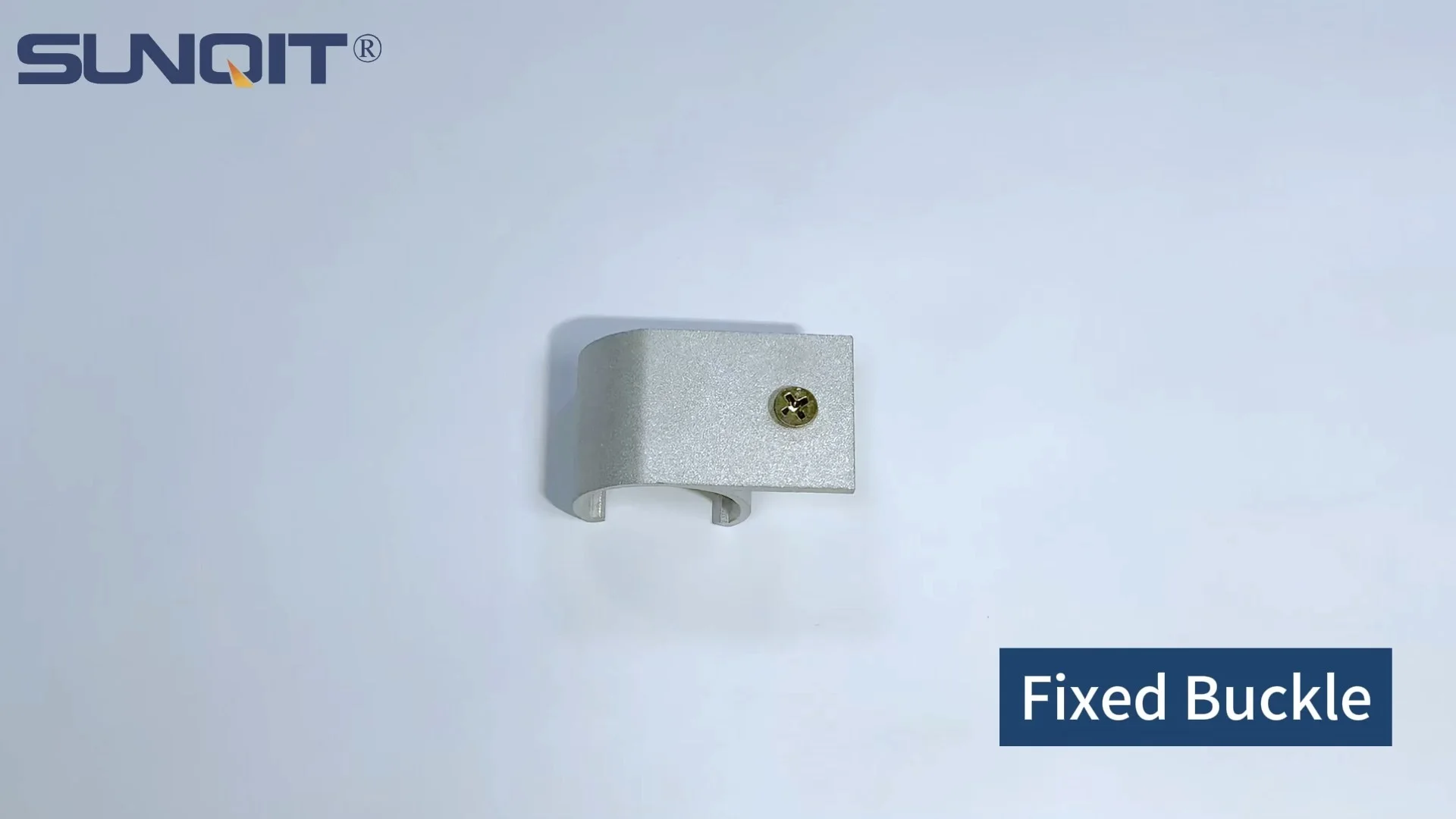
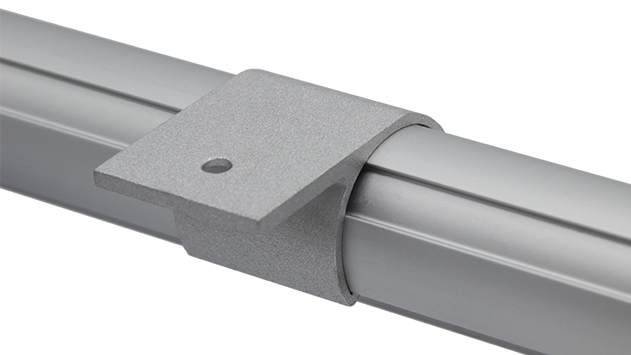
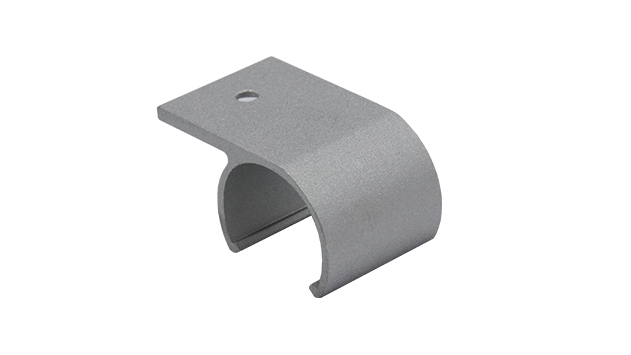
Aluminum pipe side clamp used for 28mm aluminum pipe connect with table top, or other accessories.
The Hidden Cost of Chaos in Telecom Racks
Walk into any busy telecommunication facility, and you'll likely be greeted by a familiar sight: racks upon racks of equipment, each humming with the lifeblood of connectivity—cables. But too often, those cables aren't just humming; they're tangled, overlapping, and spilling over the edges of racks like a digital spaghetti monster. It's a problem that goes beyond aesthetics. Unorganized cables slow down maintenance, create safety hazards, and even threaten the reliability of critical communication networks.
Think about the last time a technician had to troubleshoot a faulty connection. If cables are crisscrossed and unlabeled, what should take 10 minutes can stretch into an hour of untangling, tracing, and second-guessing. Multiply that by dozens of racks and daily maintenance tasks, and suddenly you're looking at hours of wasted time—time that could be spent improving services or addressing customer needs. Then there's the risk of human error: yanking the wrong cable in a tight spot, accidentally disconnecting a live line, or creating pinch points that damage insulation over time.
Heat is another silent enemy. Tangled cables trap heat, forcing servers and routers to work harder to stay cool. Over time, this can shorten equipment lifespan and increase energy costs. And let's not forget safety: loose cables on the floor are tripping hazards, while overcrowded racks make it harder to spot potential fire risks like frayed wires. In short, chaos in telecom racks isn't just messy—it's costly, inefficient, and dangerous.
The good news? There's a simple, effective solution hiding in plain sight: aluminum pipe clamps. These unassuming tools are the unsung heroes of telecom organization, turning chaotic racks into streamlined, efficient workspaces. Let's dive into how they work, why aluminum is the material of choice, and how pairing them with the right aluminum profile accessories can transform your telecom setup.
Think about the last time a technician had to troubleshoot a faulty connection. If cables are crisscrossed and unlabeled, what should take 10 minutes can stretch into an hour of untangling, tracing, and second-guessing. Multiply that by dozens of racks and daily maintenance tasks, and suddenly you're looking at hours of wasted time—time that could be spent improving services or addressing customer needs. Then there's the risk of human error: yanking the wrong cable in a tight spot, accidentally disconnecting a live line, or creating pinch points that damage insulation over time.
Heat is another silent enemy. Tangled cables trap heat, forcing servers and routers to work harder to stay cool. Over time, this can shorten equipment lifespan and increase energy costs. And let's not forget safety: loose cables on the floor are tripping hazards, while overcrowded racks make it harder to spot potential fire risks like frayed wires. In short, chaos in telecom racks isn't just messy—it's costly, inefficient, and dangerous.
The good news? There's a simple, effective solution hiding in plain sight: aluminum pipe clamps. These unassuming tools are the unsung heroes of telecom organization, turning chaotic racks into streamlined, efficient workspaces. Let's dive into how they work, why aluminum is the material of choice, and how pairing them with the right aluminum profile accessories can transform your telecom setup.
Why Aluminum Pipe Clamps? The Material Advantage
When it comes to organizing telecom racks, not all clamps are created equal. Plastic clamps might be cheap, but they crack under pressure and degrade in high-heat environments. Steel clamps are durable but heavy, adding unnecessary weight to racks that are often ceiling- or wall-mounted. Aluminum pipe clamps, however, strike the perfect balance: lightweight, strong, and built to last.
Aluminum's natural properties make it ideal for telecom settings. First, it's lightweight—about a third the weight of steel—so it won't strain racks or require extra structural support. This is especially important in data centers or telecom rooms where every pound counts, and retrofitting racks to handle heavy materials isn't always feasible.
Durability is another key factor. Aluminum is naturally corrosion-resistant, thanks to a thin oxide layer that forms on its surface. This means it can stand up to the temperature fluctuations, humidity, and occasional spills that are par for the course in busy telecom facilities. Unlike steel, it won't rust, so you won't have to worry about flaky residue contaminating equipment or compromising the clamp's grip over time.
Then there's versatility. Aluminum pipe clamps are easy to mold and machine, so they can be designed to fit a wide range of cable sizes—from thin Ethernet cords to thick power cables. Many are also adjustable, with sliding or hinged mechanisms that let you tighten or loosen the grip without replacing the entire clamp. This flexibility is crucial in telecom, where cable bundles can vary in size from rack to rack and project to project.
Finally, aluminum is eco-friendly. It's 100% recyclable, and its long lifespan means fewer replacements over time—reducing waste and lowering your facility's carbon footprint. For telecom providers aiming to meet sustainability goals, this is a small change with big green benefits.
Aluminum's natural properties make it ideal for telecom settings. First, it's lightweight—about a third the weight of steel—so it won't strain racks or require extra structural support. This is especially important in data centers or telecom rooms where every pound counts, and retrofitting racks to handle heavy materials isn't always feasible.
Durability is another key factor. Aluminum is naturally corrosion-resistant, thanks to a thin oxide layer that forms on its surface. This means it can stand up to the temperature fluctuations, humidity, and occasional spills that are par for the course in busy telecom facilities. Unlike steel, it won't rust, so you won't have to worry about flaky residue contaminating equipment or compromising the clamp's grip over time.
Then there's versatility. Aluminum pipe clamps are easy to mold and machine, so they can be designed to fit a wide range of cable sizes—from thin Ethernet cords to thick power cables. Many are also adjustable, with sliding or hinged mechanisms that let you tighten or loosen the grip without replacing the entire clamp. This flexibility is crucial in telecom, where cable bundles can vary in size from rack to rack and project to project.
Finally, aluminum is eco-friendly. It's 100% recyclable, and its long lifespan means fewer replacements over time—reducing waste and lowering your facility's carbon footprint. For telecom providers aiming to meet sustainability goals, this is a small change with big green benefits.
Key Features of Quality Aluminum Pipe Clamps
Not all aluminum pipe clamps are built to the same standard. To truly transform your telecom racks, look for these must-have features:
Adjustable Design: The best clamps can accommodate different cable diameters, often ranging from 0.5 inches to 2 inches or more. This means you won't need a separate clamp for every cable type—saving time and inventory space. Look for clamps with a screw-driven mechanism or spring-loaded hinges that let you fine-tune the grip without tools.
Non-Marring Surfaces: Cables are sensitive, and rough edges on clamps can damage insulation over time. High-quality aluminum pipe clamps feature rounded edges or rubberized liners that protect cables while still holding them securely. This is especially important for fiber-optic cables, which are delicate and expensive to replace.
Compatibility with Standard Racks: Most telecom racks follow industry standards (e.g., 19-inch width, 1U/2U height increments). The best clamps are designed to fit these standards seamlessly, with mounting holes that align with rack rails. Some even come with universal brackets that work with both open-frame and enclosed racks, giving you flexibility as your setup evolves.
Load Capacity: Don't underestimate the weight of bundled cables. A single 1U section can hold dozens of Ethernet cables, adding up to significant heft. Look for clamps rated to handle at least 10-15 pounds per unit—more if you're dealing with power cables or thick bundles. This ensures they won't sag or slip over time.
Easy Installation: Time is money, and no one wants to spend hours fumbling with complicated hardware. The best aluminum pipe clamps install in minutes, often with just a screwdriver or even tool-less mechanisms like snap-on brackets. Some even come with pre-drilled holes for quick alignment, so you can mount them and move on to the next task.
Adjustable Design: The best clamps can accommodate different cable diameters, often ranging from 0.5 inches to 2 inches or more. This means you won't need a separate clamp for every cable type—saving time and inventory space. Look for clamps with a screw-driven mechanism or spring-loaded hinges that let you fine-tune the grip without tools.
Non-Marring Surfaces: Cables are sensitive, and rough edges on clamps can damage insulation over time. High-quality aluminum pipe clamps feature rounded edges or rubberized liners that protect cables while still holding them securely. This is especially important for fiber-optic cables, which are delicate and expensive to replace.
Compatibility with Standard Racks: Most telecom racks follow industry standards (e.g., 19-inch width, 1U/2U height increments). The best clamps are designed to fit these standards seamlessly, with mounting holes that align with rack rails. Some even come with universal brackets that work with both open-frame and enclosed racks, giving you flexibility as your setup evolves.
Load Capacity: Don't underestimate the weight of bundled cables. A single 1U section can hold dozens of Ethernet cables, adding up to significant heft. Look for clamps rated to handle at least 10-15 pounds per unit—more if you're dealing with power cables or thick bundles. This ensures they won't sag or slip over time.
Easy Installation: Time is money, and no one wants to spend hours fumbling with complicated hardware. The best aluminum pipe clamps install in minutes, often with just a screwdriver or even tool-less mechanisms like snap-on brackets. Some even come with pre-drilled holes for quick alignment, so you can mount them and move on to the next task.
From Chaos to Order: Installing Aluminum Pipe Clamps
Installing aluminum pipe clamps is a straightforward process, but a little planning goes a long way. Here's a step-by-step guide to getting it right the first time:
Once marked, mount the clamps using the provided screws. If your rack has pre-threaded holes, this will be quick; if not, you may need to drill pilot holes (use a drill bit slightly smaller than the screw diameter to avoid stripping). Tighten screws until the clamp is secure but not so tight that it warps the rack or clamp itself.
Step 1: Assess Your Cable Needs
Before you start drilling, take stock of what you're working with. Measure the diameter of your cable bundles—both current and future (it's better to overestimate than underestimate). Note where cables enter and exit the rack, and map out a path that minimizes bends and crosses. For example, power cables should ideally run along one side of the rack, while data cables run along the other, to reduce interference.
Step 2: Gather Tools and Materials
You'll need:
- A tape measure and pencil for marking
- A level to ensure clamps are straight
- A screwdriver (manual or electric) for mounting
- Cable ties or labels for extra organization (optional but recommended)
- Anti-static wristband (critical if working near live equipment)
Step 3: Mount the Clamps
Start by marking the clamp positions on the rack. Space them evenly—about 12-18 inches apart for horizontal runs—to prevent cable sagging. For vertical runs, align clamps with rack units (e.g., every 2U) to keep lines straight. Use a level to ensure rows are parallel—crooked clamps will make cables look messy even if they're secured.
Once marked, mount the clamps using the provided screws. If your rack has pre-threaded holes, this will be quick; if not, you may need to drill pilot holes (use a drill bit slightly smaller than the screw diameter to avoid stripping). Tighten screws until the clamp is secure but not so tight that it warps the rack or clamp itself.
Step 4: Route and Secure Cables
Now the fun part: routing cables through the clamps. Start with the largest bundles first, as they'll take up the most space. Gently guide cables into the clamps, ensuring they're not twisted or kinked. Tighten the clamp grip just enough to hold the bundle firmly—too tight, and you risk damaging cables; too loose, and they'll slip. For extra security, use cable ties to group smaller cables within a bundle, and label each bundle at both ends of the rack.
Step 5: Test and Adjust
Once all cables are secured, take a step back and inspect your work. Are there any loose cables? Are the clamps holding firm? Is there enough space between bundles for airflow? Make adjustments as needed—this is the time to tweak, not later when cables are back in use.

Beyond Clamps: Aluminum Profile Accessories for Total Organization
Aluminum pipe clamps are powerful on their own, but they're even better when paired with the right aluminum profile accessories. These complementary components turn a basic clamping system into a modular, customizable solution that grows with your telecom needs. Let's take a look at a few key players:
For example, aluminum guide rail A might feature a T-slot design that lets clamps slide into place and lock with a simple twist, while guide rail B could have pre-drilled holes for fixed positioning. Both options ensure cables run in straight, parallel lines, reducing tangles and making it easy to add or remove clamps later.
The beauty of modularity is that it grows with you. If you add more equipment to a rack next year, you can simply add a new guide rail section and a few extra clamps—no need to replace the entire system. This saves time, money, and frustration in the long run.
Aluminum Guide Rails: The Backbone of Organization
Aluminum guide rails (like aluminum guide rail A or B) are long, slender profiles that mount to rack sides or frames, providing a structured path for clamps to follow. Instead of mounting clamps directly to the rack, you mount them to the guide rail, which acts as a "track" for cable routing. This is especially useful for large racks or custom setups, as guide rails can be cut to length and positioned exactly where you need them.
For example, aluminum guide rail A might feature a T-slot design that lets clamps slide into place and lock with a simple twist, while guide rail B could have pre-drilled holes for fixed positioning. Both options ensure cables run in straight, parallel lines, reducing tangles and making it easy to add or remove clamps later.
Aluminum Profile Connectors: Building a Modular System
No two telecom racks are identical, so your organization system needs to be adaptable. Aluminum profile connectors let you join guide rails, extend lengths, or attach rails to racks at different angles. Whether you need a 90-degree corner connector for a vertical-to-horizontal transition or a straight connector to extend a rail, these accessories make it easy to build a custom setup without welding or drilling.
The beauty of modularity is that it grows with you. If you add more equipment to a rack next year, you can simply add a new guide rail section and a few extra clamps—no need to replace the entire system. This saves time, money, and frustration in the long run.
Cable Management Panels: The Finishing Touch
For a polished look, pair clamps and guide rails with cable management panels. These panels mount to the front or back of racks, covering exposed cables and creating a clean, professional appearance. Many feature built-in brush strips or finger guards that let cables pass through while blocking dust and debris. They're not strictly necessary, but they add a level of professionalism that's worth the small investment—especially if clients or auditors visit your facility.
Real-World Results: How Aluminum Pipe Clamps Transform Telecom Racks
Don't just take our word for it—aluminum pipe clamps have a proven track record of improving telecom operations. Let's look at a few real-world examples:
The result? Maintenance time dropped to 45 minutes per day—a 30% reduction. Technicians could now trace cables in seconds, and the company met its SLAs for three months straight. The IT manager noted, "We used to dread rack maintenance. Now, it's just another quick task. The clamps pay for themselves in time saved."
Within a month, average rack temperatures dropped to 82°F, and the data center was able to reduce cooling system runtime by 15%. Over a year, this translated to $12,000 in energy savings—more than enough to cover the cost of the clamps and installation. "We didn't realize how much heat cables were trapping until we organized them," said the facility director. "It was a simple fix with a huge payoff."
Case Study 1: Small Telecom Provider Cuts Maintenance Time by 30%
A regional telecom company with 12 racks in its main facility was struggling with frequent downtime due to cable-related issues. Technicians spent an average of 2 hours per day untangling cables during maintenance, and the company was missing SLAs (Service Level Agreements) with clients. After installing aluminum pipe clamps and guide rails, they reorganized all cables by type (power, Ethernet, fiber) and labeled each bundle.
The result? Maintenance time dropped to 45 minutes per day—a 30% reduction. Technicians could now trace cables in seconds, and the company met its SLAs for three months straight. The IT manager noted, "We used to dread rack maintenance. Now, it's just another quick task. The clamps pay for themselves in time saved."
Case Study 2: Data Center Lowers Cooling Costs by 15%
A mid-sized data center was grappling with high cooling bills, thanks to overheated racks. Infrared scans showed that tangled cables were trapping heat, with some areas reaching 95°F—well above the recommended 80°F for server rooms. The facility installed aluminum pipe clamps to organize cables, creating clear paths for airflow.
Within a month, average rack temperatures dropped to 82°F, and the data center was able to reduce cooling system runtime by 15%. Over a year, this translated to $12,000 in energy savings—more than enough to cover the cost of the clamps and installation. "We didn't realize how much heat cables were trapping until we organized them," said the facility director. "It was a simple fix with a huge payoff."
Choosing the Right Aluminum Pipe Clamps: A Buyer's Guide
With so many options on the market, how do you choose the right aluminum pipe clamps for your telecom racks? Here's what to consider:
| Factor | What to Look For | Why It Matters |
|---|---|---|
| Cable Diameter Range | Clamps that adjust to fit 0.5–2+ inches | Accommodates both small (Ethernet) and large (power) cables |
| Load Capacity | At least 10–15 pounds per clamp | Prevents sagging or slipping under heavy bundles |
| Material Grade | 6061 or 6063 aluminum (temper T5 or T6) | These grades offer the best balance of strength and corrosion resistance |
| Mounting Style | Tool-less (snap-on) or screw-mounted | Tool-less is faster for quick setups; screw-mounted is more secure for heavy loads |
| Finish | Anodized or powder-coated | Adds extra protection against scratches and corrosion |
Material Grade: 6061 vs. 6063 Aluminum
Most aluminum pipe clamps are made from either 6061 or 6063 aluminum. Both are excellent choices, but they have slight differences:
- 6061 Aluminum: Stronger and more durable, with better resistance to impact. Ideal for heavy cable bundles or high-traffic racks.
- 6063 Aluminum: More malleable, making it easier to mold into complex shapes. Great for adjustable clamps or custom designs.
Brand Reputation and Warranty
Finally, don't overlook brand reputation. Look for suppliers with positive reviews from telecom professionals, and check if they offer a warranty (most reputable brands offer 1–5 years). A good warranty is a sign the manufacturer stands behind their product—and it gives you peace of mind if something goes wrong.
Maintenance and Longevity: Making Your Investment Last
Aluminum pipe clamps are built to last, but a little maintenance goes a long way in ensuring they stay effective for years. Here's how to care for them:
When you do replace clamps, consider upgrading to newer models with improved features—like tool-less adjustment or higher load capacities. Technology evolves, and so do cable management tools; staying up-to-date ensures your racks remain efficient.
Regular Cleaning
Dust and debris can accumulate on clamps over time, especially in busy telecom rooms. Every few months, wipe clamps down with a dry microfiber cloth to remove dust. For stubborn grime, use a mild soap and water solution—avoid harsh chemicals, which can damage the aluminum finish.
Check for Loose Screws
Vibration from equipment can loosen clamp screws over time. Do a quick check every quarter: gently tug on cables to see if clamps shift, and tighten any loose screws with a screwdriver. This takes 5 minutes per rack and prevents clamps from slipping.
replace When Needed
Aluminum is durable, but clamps can wear out if they're over-tightened, bent, or exposed to extreme conditions. Signs it's time to replace a clamp: cracks in the aluminum, stripped threads, or a grip that no longer holds cables securely. Most clamps last 5–10 years with proper care, so replacements are few and far between.
When you do replace clamps, consider upgrading to newer models with improved features—like tool-less adjustment or higher load capacities. Technology evolves, and so do cable management tools; staying up-to-date ensures your racks remain efficient.
Conclusion: Order = Efficiency, Safety, and Reliability
In the fast-paced world of telecommunications, every minute counts. Chaos in your racks isn't just a nuisance—it's a barrier to efficiency, safety, and reliability. Aluminum pipe clamps offer a simple, cost-effective solution, turning tangled cables into organized, manageable systems.
By choosing aluminum, you're investing in a material that's lightweight, durable, and built to withstand the rigors of telecom environments. Pairing clamps with aluminum profile accessories like guide rails and connectors creates a modular system that adapts to your changing needs, ensuring your racks stay organized for years to come.
The results speak for themselves: faster maintenance, lower energy costs, safer workspaces, and happier technicians. So why wait? Grab a tape measure, pick up some aluminum pipe clamps, and start transforming your telecom racks today. Your future self—and your bottom line—will thank you.
By choosing aluminum, you're investing in a material that's lightweight, durable, and built to withstand the rigors of telecom environments. Pairing clamps with aluminum profile accessories like guide rails and connectors creates a modular system that adapts to your changing needs, ensuring your racks stay organized for years to come.
The results speak for themselves: faster maintenance, lower energy costs, safer workspaces, and happier technicians. So why wait? Grab a tape measure, pick up some aluminum pipe clamps, and start transforming your telecom racks today. Your future self—and your bottom line—will thank you.