- Company Articles
- Products and Technology
- Product knowledge
- Building a Mobile Workstation: Integrating Two Way Aluminum Pipe Joints for Mobility

Building a Mobile Workstation: Integrating Two Way Aluminum Pipe Joints for Mobility
Related Product
Two Way Aluminum Pipe Joint
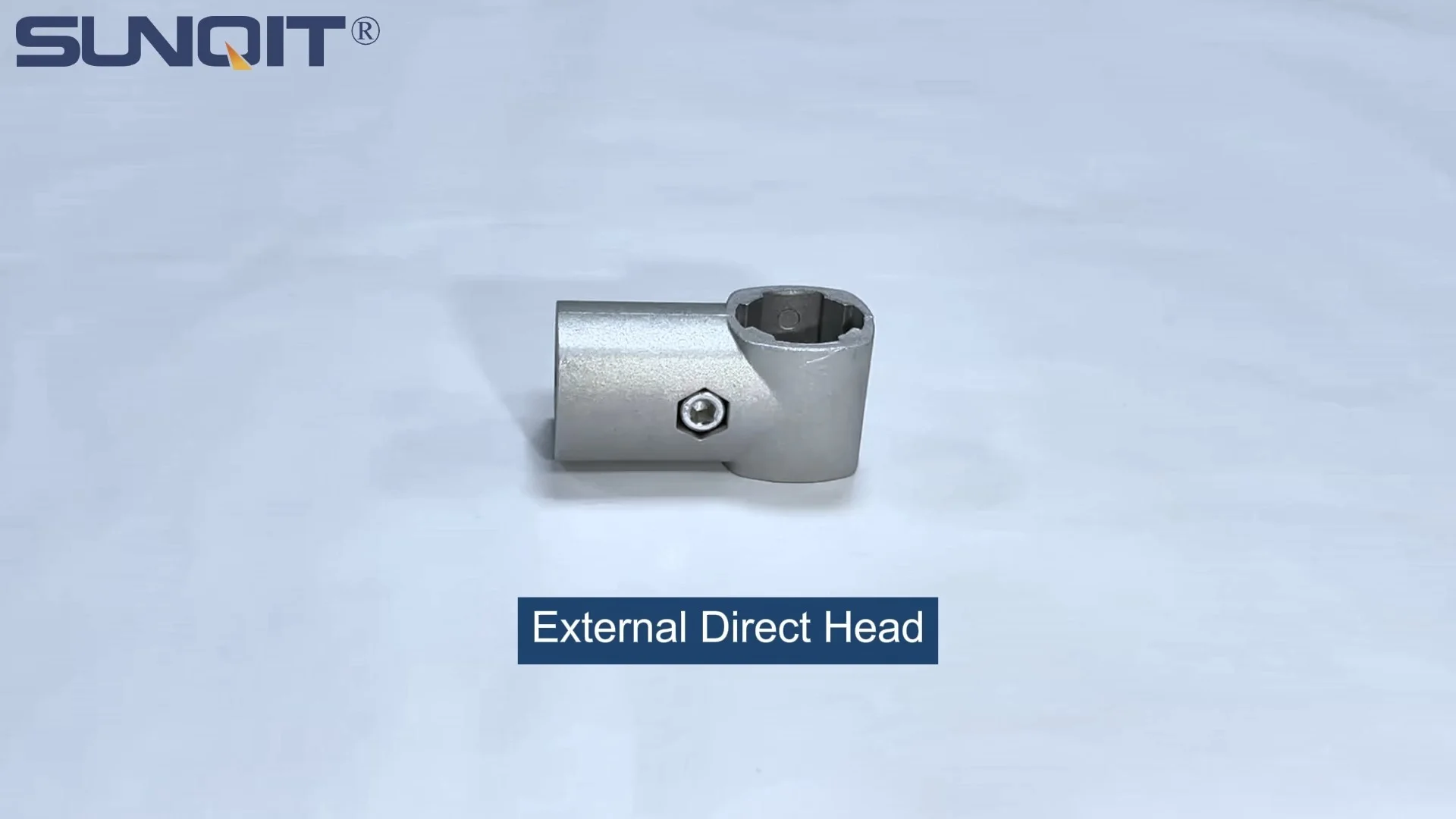
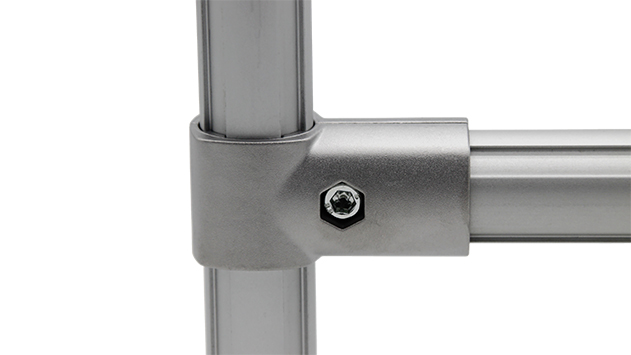
Aluminum 2 way pipe joint for 28mm aluminum pipe connection in 2 direction.
In the rhythm of a modern production floor, a workstation isn't just a table—it's the heartbeat of productivity. Whether you're assembling electronics, organizing inventory, or conducting lab tests, the ability to move your tools, materials, and workspace where they're needed most can transform chaos into calm. Static workbenches, once the norm, now feel like anchors holding back teams from adapting to shifting demands. Enter the mobile workstation: a flexible, durable solution designed to keep pace with the way work *actually* happens. And at the core of building one that's both sturdy and nimble? Two way aluminum pipe joints, paired with the right materials and components. Let's dive into how these simple yet ingenious connectors, along with aluminum profile and caster wheels, can help you create a workstation that moves as smoothly as your workflow.
Why Aluminum? The Unsung Hero of Modern Workstations
Before we get into the nuts and bolts of joints and wheels, let's talk about the foundation: the material. When it comes to building something that's lightweight enough to move but strong enough to support tools, parts, and even heavy equipment, aluminum stands head and shoulders above the competition. Here's why:
First, aluminum is inherently lightweight. Unlike steel, which can make a workstation feel like pushing a boulder, aluminum profiles let you build a sturdy frame without the bulk. A 40mm aluminum profile, for example, weighs roughly half as much as a steel profile of the same size—critical when you need to roll the workstation across a factory floor or navigate tight warehouse aisles. But don't let the lightness fool you: aluminum alloys (like the ones used in industrial profiles) are surprisingly strong. They can easily support 100-200kg of weight, depending on the design, making them perfect for holding power tools, bins of parts, or even small machinery.
Then there's corrosion resistance. Steel rusts, wood warps, and plastic cracks—aluminum? It forms a natural oxide layer that protects it from moisture, chemicals, and everyday wear. This makes it ideal for environments like food processing plants, labs, or outdoor loading docks where exposure to water or cleaning agents is common. No more worrying about a rainy day ruining your workstation or a spilled solvent eating through the frame.
But perhaps the biggest advantage is aluminum's modularity. Aluminum extrusion profiles—those long, T-slotted beams you've seen in workshops—are designed to connect seamlessly with accessories. The T-slots run along the length of the profile, allowing you to attach brackets, shelves, hooks, or wheels anywhere along the beam, no drilling required. This modularity is why aluminum has become the go-to for lean manufacturing systems, where adaptability is key. You're not stuck with a fixed design; if tomorrow you need an extra shelf or a taller frame, you can simply add more profiles and joints.
| Material | Weight (per linear foot) | Max Load Capacity | Corrosion Resistance | Assembly Ease |
|---|---|---|---|---|
| Aluminum | 1.2 lbs | 150-200kg | Excellent (natural oxide layer) | Easy (no welding; uses joints/bolts) |
| Steel | 2.5 lbs | 250-300kg | Poor (prone to rust without coating) | Hard (requires welding or heavy bolts) |
| Plastic | 0.8 lbs | 50-80kg | Good (resistant to moisture) | Moderate (snaps together but less durable) |
As the table shows, aluminum strikes the perfect balance between weight, strength, and practicality. It's not the cheapest option upfront, but its longevity and adaptability make it a smart investment. And when paired with the right joints, it becomes the backbone of a mobile workstation that can grow and change with your needs.
Two Way Aluminum Pipe Joints: The Glue That Holds It All Together
If aluminum profiles are the bones of your workstation, two way aluminum pipe joints are the joints—literally. These small, unassuming connectors are what turn separate pieces of aluminum into a cohesive, rigid structure. But what exactly are they, and why are they so crucial for mobility?
Two way aluminum pipe joints are designed to connect two aluminum pipes (or profiles) at a fixed angle—most commonly 90 degrees, though some models allow for slight adjustments. They're typically made from die-cast aluminum alloy, which is strong, lightweight, and resistant to wear. The magic lies in their simplicity: each joint has two or more sockets that fit snugly over the ends of aluminum pipes, and a set screw (usually Allen-head) that tightens to secure the connection. No welding, no adhesives, no complicated tools—just a quick twist with an Allen wrench, and the joint holds firm.
For mobile workstations, this simplicity is a game-changer. Unlike welded frames, which are permanent and difficult to modify, joints let you disassemble and reconfigure the workstation in minutes. Need to shorten the base to fit through a narrow doorway? Loosen the joints, remove a section of pipe, and retighten. Want to add a side shelf for tools? Attach a new pipe to an existing joint. This flexibility is why two way joints are a cornerstone of lean manufacturing systems—they support the "kaizen" principle of continuous improvement, letting you tweak your workstation as your processes evolve.
But it's not just about flexibility; it's about strength. A well-designed two way joint distributes weight evenly across the connected pipes, preventing stress points that could weaken the frame over time. When properly tightened, these joints create a rigid structure that doesn't wobble, even when the workstation is loaded with heavy tools. I've seen mobile workstations built with these joints roll smoothly over uneven concrete floors, their frames staying rock-solid—no creaking, no shifting, just reliable stability.
Another advantage is compatibility. Most two way aluminum pipe joints are designed to fit standard aluminum profile sizes (like 20x20mm, 30x30mm, or 40x40mm), so you don't have to worry about mismatched parts. This standardization makes it easy to source components from suppliers, whether you're replacing a worn joint or expanding your workstation. And because they're made of aluminum, they match the corrosion resistance of the profiles, ensuring the entire frame ages uniformly.
Adding Mobility: The Role of Caster Wheels
A workstation built with aluminum profiles and two way joints is sturdy and adaptable—but without wheels, it's still just a really nice table. To make it mobile, you need caster wheels: the unsung heroes that turn static furniture into rolling workhorses. But not all caster wheels are created equal, and choosing the right ones can mean the difference between a workstation that glides like butter and one that feels like dragging a cart through mud.
First, consider the load rating. Each caster wheel is rated to support a certain amount of weight, and you'll need to calculate the total weight of your workstation (frame + worktop + tools + materials) and divide by four (since most workstations have four wheels) to find the minimum rating per wheel. For example, if your workstation will hold 150kg, each wheel should be rated for at least 40kg (to leave a safety margin). Skimping on load rating is a recipe for bent axles or stuck wheels—no one wants to stop mid-task to fix a broken caster.
Next, think about the floor surface. If you're rolling on smooth concrete or tile, standard hard rubber wheels work great. They're quiet, durable, and provide good traction. But if your floor is rough (like a warehouse with cracks) or has debris (metal shavings, gravel), consider polyurethane wheels—they're more resistant to cuts and can handle uneven surfaces better. For labs or cleanrooms, where debris is a concern, choose wheels with sealed bearings to prevent dust buildup.
Swivel vs. fixed casters? Most mobile workstations use a mix: two swivel casters (which rotate 360 degrees) for maneuverability, and two fixed casters (which stay straight) for stability. This combination lets you easily navigate tight corners while keeping the workstation from wandering when you push it in a straight line. And don't forget brakes! A good brake should lock both the wheel and the swivel, preventing the workstation from rolling or spinning when you're using it. Look for "total lock" brakes—they're worth the extra cost for the peace of mind.
Attaching caster wheels to your aluminum frame is where those two way joints (and a few accessories) come into play. Most casters come with a mounting plate that can be bolted directly to the aluminum profile using T-slot nuts or bracket plates. For a cleaner look, you can use caster installation bases—small aluminum plates that fit into the T-slots of the profile, providing a secure platform for the caster. Just make sure the mounting is tight: a loose caster will cause the workstation to wobble, which not only annoys users but can also loosen other joints over time.

Step-by-Step: Building Your Mobile Workstation
Now that we've covered the "why" behind aluminum, joints, and wheels, let's get to the "how." Building a mobile workstation is easier than you might think—no engineering degree required. Here's a step-by-step guide to creating one that fits your needs:
Step 1: Plan Your Design (Measure Twice, Cut Once)
Start by asking: What will this workstation be used for? If it's for assembling small parts, you might need a lower height (75-80cm) and a flat worktop. If it's for heavy tools, a taller height (90-100cm) and a reinforced top. Sketch out the dimensions: length (usually 100-150cm), width (60-80cm), and height. Don't forget features like side shelves, tool hooks, or a bin for scraps—these little additions make the workstation feel tailored to your workflow.
Pro tip: Use graph paper or a free design tool (like SketchUp) to visualize the frame. Mark where the two way joints will go—for example, four at the base corners to connect the horizontal and vertical pipes, and two more on each side to add shelf supports. This planning phase saves you from buying extra parts or realizing you forgot a shelf halfway through assembly.
Step 2: Gather Your Materials and Tools
Once you have a design, list out the parts you'll need. For a basic workstation, you'll need:
- Aluminum profiles (e.g., 40x40mm for the frame, 30x30mm for shelves)
- Two way aluminum pipe joints (one for each corner connection; get extras in case of mistakes)
- Caster wheels (4 total: 2 swivel with brakes, 2 fixed)
- Worktop material (aluminum honeycomb panel for lightweight strength, or plywood covered in laminate for durability)
- Accessories: T-slot nuts, bolts, caster installation bases, and end caps (to cover sharp profile ends)
Tools needed: Allen wrench set (most joints use 5mm or 6mm Allen keys), rubber mallet (to tap joints into place without damaging them), level (to ensure the frame is straight), and a measuring tape.
Step 3: Assemble the Frame
Start with the base frame—the foundation that holds the casters. Cut four aluminum profiles to your desired length and width (e.g., two 120cm pipes for the length, two 60cm pipes for the width). Connect them using two way joints to form a rectangle: insert each pipe end into a joint socket, then tighten the set screw with the Allen wrench. Don't overtighten—you want the joint to grip the pipe firmly, but stripping the screw will ruin the joint.
Next, add the vertical pipes for height. Cut four 90cm profiles (one for each corner of the base frame). insert one end of each vertical pipe into the top of the base frame's joints (most two way joints have a third socket for vertical pipes, or you can use T-joints if needed). Tighten the screws, then use the level to ensure the vertical pipes are straight—crooked pipes will make the workstation wobble later.
Add horizontal supports between the vertical pipes to reinforce the frame. These can be short (30-40cm) profiles connected with two way joints at the top and middle of the vertical pipes. Supports add rigidity, especially if you're adding shelves or heavy tools.
Step 4: Attach the Casters
Flip the frame upside down so the base is facing up. Position the caster wheels: two swivel (with brakes) on one end, two fixed on the other. Use the caster installation bases to bolt the casters to the aluminum profiles—slide T-slot nuts into the profile's T-slots, align the caster's mounting plate with the nuts, and tighten the bolts. Make sure all four casters are level and evenly spaced; a wobbly base will make the workstation hard to push.
Step 5: Add the Worktop and Accessories
Flip the frame right-side up and place the worktop on top of the vertical pipes. Secure it using angle brackets or T-slot screws—drill small holes in the worktop if needed, or use adhesive for a seamless look (though screws are better for removability). Then add your accessories: tool hooks by sliding T-slot nuts into the vertical profiles and bolting on hook brackets; side shelves by connecting short aluminum profiles to the vertical pipes with two way joints; or a bin holder by attaching a small frame to the side.
Step 6: Test and Adjust
The final step is the fun part: take your workstation for a spin! Roll it across the floor to test how smoothly the casters move. Apply the brakes and try to push it—if it moves, tighten the brake screws. Check for wobbles by pressing down on each corner; if the frame flexes, add more supports. And don't forget the details: add end caps to the aluminum profiles to prevent snags on clothing or cables, and clean up any smudges with a damp cloth.

Beyond the Factory: Mobile Workstations in Everyday Work
You might be thinking, "This sounds great for a production line, but how does it apply to *my* work?" The beauty of a mobile workstation built with two way aluminum pipe joints is its versatility—it's not just for factories. Let's look at a few scenarios where it shines:
Warehouse Picking: Instead of carrying a clipboard and a bin while walking miles to fetch items, a mobile workstation with shelves and a built-in tablet holder lets you roll through aisles, sorting items as you go. The aluminum frame is light enough to push all day without fatigue, and the caster brakes keep it steady when you're grabbing products from high shelves.
Lab Testing: In a research lab, where experiments often require moving between fume hoods, centrifuges, and microscopes, a mobile workstation with a stainless steel top (easy to sanitize) and lockable storage keeps samples and tools organized. The corrosion-resistant aluminum frame stands up to harsh cleaning agents, and the swivel casters make it easy to maneuver around lab equipment.
Retail Pop-Ups: For small businesses or event vendors, a mobile workstation doubles as a checkout counter, display shelf, and storage unit. Aluminum's sleek look fits modern aesthetics, and the ability to disassemble it for transport (thanks to those two way joints) makes it perfect for trade shows or outdoor markets.
Home Workshops: Even hobbyists can benefit. A mobile workstation in a garage can hold power tools, with a fold-down side shelf for extra workspace when needed. When the project is done, roll it into a corner to free up floor space—no more tripping over a permanent workbench.
Customization: Making It Yours with Aluminum Profile Accessories
One of the joys of building with aluminum profile and two way joints is how easy it is to add personal touches. Aluminum profile accessories are like the cherry on top—small additions that turn a basic workstation into something that feels uniquely yours. Here are a few favorites:
T-slot Rubber Seal Covers: These soft, flexible strips slide into the T-slots of aluminum profiles, covering the open grooves. They protect wires (if you run power cords through the slots) from sharp edges and give the workstation a finished look.
Nylon Handles: Bolt a few ergonomic nylon handles to the sides of the frame for easier pushing—especially helpful if you're moving the workstation over long distances or up slight ramps.
Adjustable Shelves: Using internal rotary aluminum joints (which let you rotate shelves to different angles), you can create shelves that tilt for better visibility of bins or lie flat for stacking boxes. Perfect for adapting to different types of materials.
LED Light Bars: Slide LED strips into the T-slots above the worktop for task lighting—great for dimly lit production areas or evening projects in a home workshop.
Maintenance: Keeping Your Mobile Workstation Rolling Smoothly
Like any tool, your mobile workstation will last longer with a little care. Here are simple maintenance tips to keep it in top shape:
Check Joints Monthly: Over time, vibrations from rolling can loosen set screws in the two way joints. Grab your Allen wrench and give each joint a gentle tighten—you'll feel when it's snug, but don't overtighten.
Clean the Frame: Wipe down aluminum profiles with a mild soap and water solution to remove grease, dust, or chemicals. Avoid abrasive cleaners, which can scratch the surface and damage the oxide layer.
Lubricate Caster Bearings: If wheels start squeaking, add a drop of silicone lubricant to the bearings. For sealed bearings, a quick wipe with a dry cloth to remove debris usually does the trick.
replace Worn Parts: Caster wheels, end caps, and even joints will wear out over time. Keep a few spares on hand—replacing a $10 caster is much cheaper than buying a whole new workstation.
Final Thoughts: Work Smarter, Not Harder
Building a mobile workstation with two way aluminum pipe joints isn't just about saving time or money—it's about respecting the people who use it. When your tools and workspace move with you, you reduce frustration, minimize fatigue, and create space for focus. Aluminum's lightness, the joints' flexibility, and the wheels' mobility come together to build something that doesn't fight against your workflow but supports it.
So whether you're a production manager looking to boost efficiency, a small business owner needing a versatile workspace, or a hobbyist wanting to organize your garage, consider this: the best workstation isn't the one that stays in place. It's the one that moves—with you, for you, and because of you. And with two way aluminum pipe joints, aluminum profile, and a set of good caster wheels, you've got everything you need to build it.