- Company Articles
- Products and Technology
- Technology Sharing
- 85 Staggered Roller Track Material Flow Simulation: Software Tips

85 Staggered Roller Track Material Flow Simulation: Software Tips
Related Product
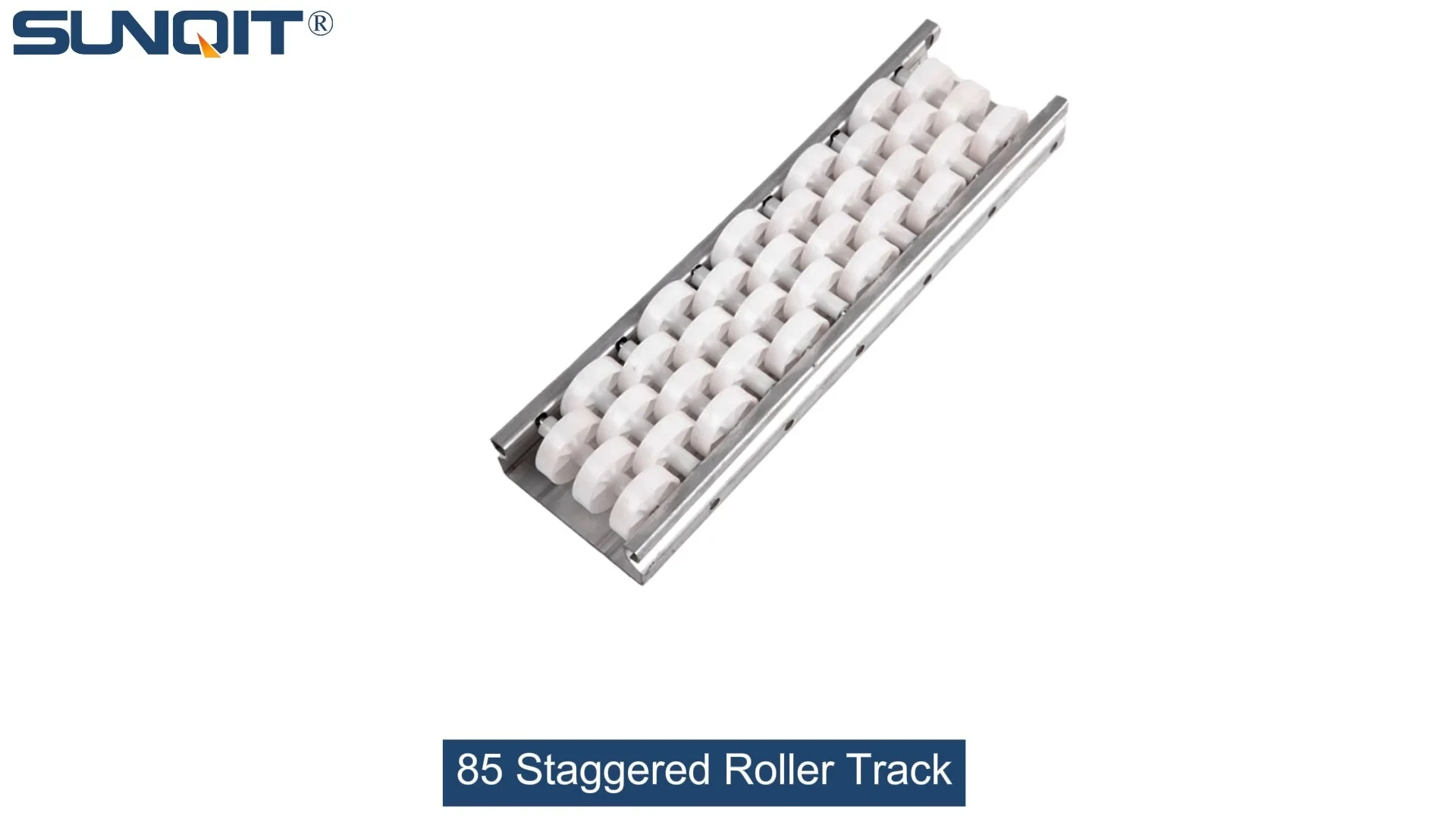
85 Staggered Roller Track
Triple staggered roller track is designed to enhance carton flow in various applications, such as flow racks and carton flow systems. This triple-staggered roller track is ideal for bins, boxes, or products that require smoother, more efficient rolling.
In the fast-paced world of manufacturing, every second counts. Imagine a morning shift at a 3C assembly plant: workers are rushing to meet the daily production target, but suddenly, a bottleneck hits. A batch of small circuit boards gets stuck on the roller track, causing a 20-minute delay. By the end of the day, that small hiccup adds up to hundreds of units lost. Sound familiar? This is where material flow simulation comes in—and when paired with the right equipment like the 85 staggered roller track, it becomes a game-changer for lean production.
Why Material Flow Simulation Matters for Your Roller Track System
Before diving into software tips, let's talk about why simulation is non-negotiable. In traditional manufacturing setups, optimizing a roller track often relies on trial and error. You install the track, run it for a week, notice issues, adjust, and repeat. But this approach wastes time, money, and resources—especially when dealing with custom layouts for industries like medical device manufacturing or automotive parts assembly.
Material flow simulation software lets you "test-drive" your roller track system digitally before any physical installation. It helps you predict how materials (from tiny screws to heavy engine components) will move through the track, identify potential bottlenecks, and fine-tune the design for maximum efficiency. And when your roller track is an 85 staggered model—known for its flexible, high-throughput design—simulation becomes even more critical to unlock its full potential.
Pro Tip: Think of simulation as a "virtual factory floor." It's where you can make mistakes, experiment with layouts, and optimize without disrupting real production. For lean solution seekers, this means faster time-to-improvement and lower risk of costly errors.
Getting to Know the 85 Staggered Roller Track: Design That Powers Simulation Accuracy
Not all roller tracks are created equal, and the 85 staggered roller track stands out for a reason. Its unique design features rollers arranged in a staggered pattern (hence the name "85 staggered"), with alternating heights and spacing. This isn't just a random layout—it's engineered to handle materials of varying sizes, from small electronic components to larger plastic housings, without jamming. But to simulate its performance accurately, you first need to understand its key specs—many of which rely on high-quality aluminum profile and precision manufacturing.
Here's why the 85 staggered model is simulation-friendly:
- Staggered Roller Arrangement: Prevents material tipping or getting stuck, a common issue with straight roller tracks.
- Aluminum Profile Frame: Lightweight yet durable, with tight tolerances (±0.5mm) that ensure consistent performance—critical for reliable simulation data.
- Customizable Roller Spacing: Adjust spacing between rollers to match your material size, from 30mm for small parts to 100mm for larger items.
- ESD-Ready Options: For sensitive industries like electronics, the track can be coated with anti-static materials, a detail that simulation software can factor in for friction coefficient calculations.

Step-by-Step Software Tips for 85 Staggered Roller Track Simulation
Now, let's get hands-on. Below are actionable tips to simulate your 85 staggered roller track effectively, using popular tools like AnyLogic, Simio, or Arena. We'll focus on key steps that bridge software settings and real-world roller track performance.
1. Start with Accurate Physical Parameters: Inputting Your Roller Track's "DNA"
Simulation software is only as good as the data you feed it. For the 85 staggered roller track, start by inputting these critical parameters:
| Parameter | Recommended Input Value | Why It Matters for Simulation |
|---|---|---|
| Roller Diameter | 85mm (standard for this model) | Affects contact area with materials; larger diameters reduce friction for heavier loads. |
| Staggered Spacing | 50-80mm (adjust based on material size) | Too tight = jamming risk; too loose = unstable material movement. |
| Track Length & Incline | Custom (e.g., 5m horizontal, 2m with 5° incline) | Simulates real factory layouts, including multi-level transfers. |
| Material of Rollers | Steel (standard) or ESD plastic | Changes friction coefficient (steel = 0.3, plastic = 0.45 in most software). |
| Aluminum Profile Thickness | 2.0mm (for heavy-duty use) | Impacts track stability; thicker profiles reduce vibration during simulation. |
Pro tip: If you're using a custom aluminum profile for your track frame, share the CAD files with your simulation team. Accurate dimensions here ensure the software models the track's rigidity and vibration correctly—key for simulating high-speed material flow.
2. Material Properties: Don't Overlook the "Small Stuff"
Next, input your material data. This is where many simulations go wrong—skimping on details like material weight or surface texture. For example, a 3C manufacturer moving glass phone screens needs to simulate with different parameters than an auto parts plant moving steel gears. Here's what to include:
- Weight Range: From 50g (small circuit boards) to 5kg (plastic housings).
- Dimensions: Length, width, height—critical for checking if materials fit through the staggered rollers.
- Surface Type: Smooth (metal parts) vs. textured (rubber components) affects friction.
- Flow Rate: How many units per minute will pass through the track? (e.g., 60 units/hour for medical devices, 200 units/hour for consumer electronics).
Example: A client in the medical device industry once forgot to input the weight of their sterile packaging (only 150g, but with a glossy surface). The initial simulation showed smooth flow, but in reality, the glossy packaging slipped on the steel rollers. By adjusting the friction coefficient in the software, we fixed the issue before installation—saving them a week of rework.
3. Simulate "Worst-Case Scenarios" to Stress-Test Your Track
Great simulations don't just test ideal conditions—they test the chaos of real production. What happens if your 85 staggered roller track runs at 120% capacity during peak season? Or if a operator accidentally places a misaligned box on the track? Simulate these scenarios:
- Peak Load: Increase material flow rate by 20-30% to see if the track bottlenecks.
- Misaligned Materials: Tilt a material by 5-10° to test if the staggered rollers can self-correct.
- Mixed Material Sizes: Run a batch with 30% small parts and 70% large parts to check for sorting efficiency.
Software tools like AnyLogic let you set up "what-if" experiments with a few clicks. For instance, you can compare two scenarios: one with standard roller spacing and one with custom spacing for your mixed materials. The results often surprise manufacturers—we've seen clients reduce jamming incidents by 40% just by adjusting spacing based on simulation data.
Real-World Case: How a 3C Manufacturer Used Simulation to Cut Downtime by 35%
A leading 3C assembly client came to us with a problem: their existing straight roller track was causing frequent jams with small camera modules (10x15cm). They were considering switching to an 85 staggered model but wanted proof it would work. Here's how we approached it:
- Simulation Setup: We input their camera module specs (80g, smooth plastic surface) and existing track data into Simio software.
- Problem Identification: The simulation showed jams occurred when modules hit gaps between straight rollers.
- 85 Staggered Track Test: We modeled the 85 staggered roller track with 60mm spacing and aluminum profile frame. The staggered design eliminated gaps, reducing jams by 90% in simulation.
- Optimization: By adjusting the aluminum guide rail height (using our aluminum profile accessories), we further improved stability, cutting simulated downtime by 35%.
After installation, the client reported zero jams in the first month and a 28% increase in daily output. The key? Simulation let them "see" the solution before investing in physical changes.
4. Analyzing Results: Focus on Lean Metrics That Matter
Once your simulation runs, don't just look at "pass/fail"—dig into lean metrics that align with your production goals. For most manufacturers, these include:
- Throughput Rate: Units per hour through the track (target: >95% of theoretical capacity).
- Congestion Time: Total time materials spend waiting on the track (aim for <5% of total flow time).
- Material Damage Risk: Simulation can flag areas where materials bounce or scrape—critical for fragile items like medical devices.
- Energy Efficiency: Heavier tracks or misaligned rollers increase motor load; simulation helps optimize for lower power use.
Many software tools auto-generate reports with these metrics, but don't stop there. Export the data and cross-reference it with your lean solution goals. For example, if your target is to reduce waste (a core lean principle), look for simulation insights on over-transport or unnecessary delays—then adjust your 85 staggered track layout to eliminate them.

Key Takeaways: From Simulation to Real-World Success
Material flow simulation for 85 staggered roller tracks isn't just about software—it's about bridging the digital and physical worlds. By inputting accurate data (aluminum profile specs, material properties), testing worst-case scenarios, and focusing on lean metrics, you can transform a good roller track system into a great one.
And remember: the best simulations are paired with high-quality equipment. Our 85 staggered roller track, built with precision aluminum profile and customizable roller spacing, is designed to turn simulation insights into real results. Whether you're in 3C assembly, medical device manufacturing, or automotive parts, the right combination of simulation software and lean equipment will help you achieve that "perfect flow" every production day.
Ready to start simulating? Reach out to our team for a free consultation—we'll help you model your ideal roller track system and turn those digital insights into tangible efficiency gains.