- Company Articles
- Products and Technology
- Product knowledge
- T Slot Aluminum Pipe Design Software: CAD Tools for Custom Systems

T Slot Aluminum Pipe Design Software: CAD Tools for Custom Systems
Related Product
T Slot Aluminum Pipe
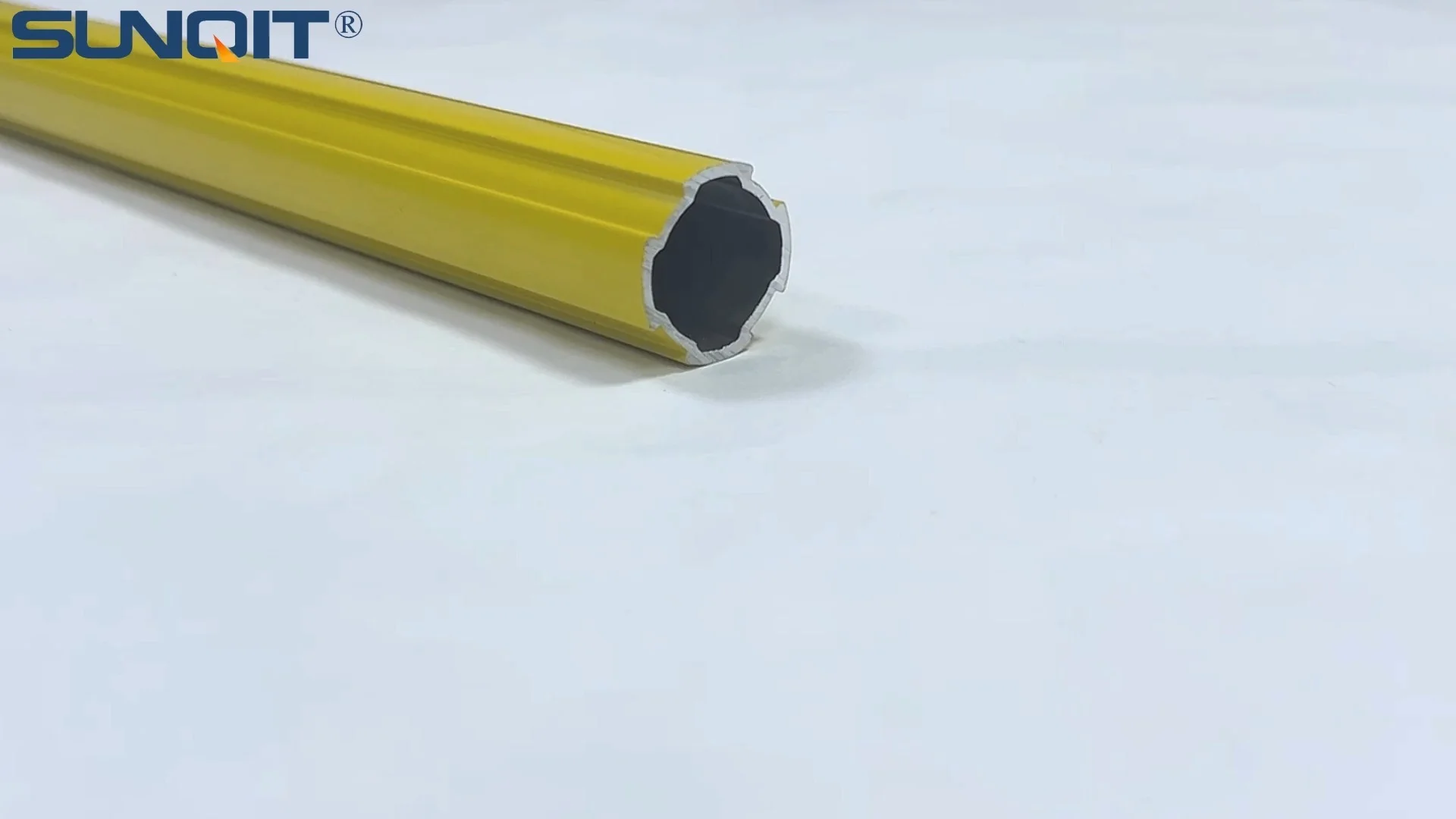
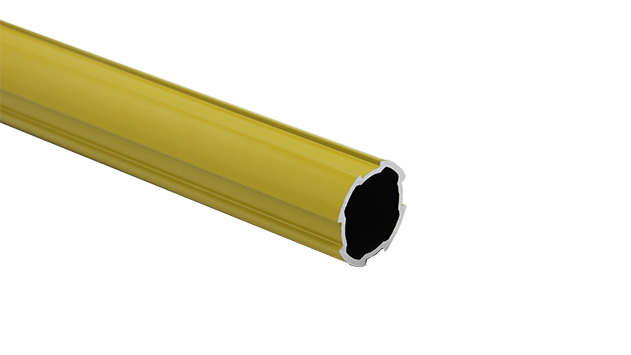
Aluminum pipe, it is used for workbench, flow rack,hand trolley assemble work with advantage of flexible and durable, yellow color makes it more attactive as a caution remind.
Walk into any modern manufacturing facility, workshop, or even a tech startup's prototyping lab, and you'll notice something fundamental has changed. The rigid, one-size-fits-all workbenches and material racks of the past are slowly giving way to sleek, modular setups that adapt to the task at hand. A workbench that transforms into a testing station by swapping out a shelf. A conveyor system that reconfigures in hours, not days, to accommodate a new product line. At the heart of this flexibility lies a simple yet powerful component: the T slot aluminum pipe. But bringing these adaptable systems to life—whether you're building a small-scale workbench or overhauling an entire production floor—requires more than just creativity. It demands precision, collaboration, and the right design tools. That's where CAD software steps in, bridging the gap between a sketch on a napkin and a functional, custom-built system.
In this article, we'll dive into why T slot aluminum pipe has become the backbone of flexible manufacturing, how design software elevates the process, and which CAD tools are best suited for turning your ideas into reality. Whether you're a small business owner looking to build your first custom workstation or a production manager aiming to streamline workflows, this guide will help you navigate the world of T slot design with confidence.
Understanding T Slot Aluminum Pipe: The Backbone of Flexible Systems
Before we jump into software, let's take a moment to appreciate the star of the show: the T slot aluminum pipe. What makes it so special? Unlike traditional steel pipes or fixed wooden structures, T slot aluminum extrusion profiles are designed with a continuous "T" shaped groove running along their length. This groove isn't just a design quirk—it's a gateway to endless customization. By sliding bolts, brackets, or accessories into the slot, you can attach shelves, panels, wheels, or even other pipes without drilling holes or welding. It's like building with a set of high-strength, industrial-grade Legos, but for grown-ups.
Aluminum extrusion profiles themselves are lightweight yet surprisingly durable. Aluminum's natural resistance to corrosion means they hold up in damp or dusty environments, and their smooth finish makes cleaning a breeze—critical for industries like food processing or electronics manufacturing where hygiene matters. But what really sets them apart is their versatility. A single length of aluminum pipe can be part of a workbench today, a material rack tomorrow, and a mobile trolley next week, all with the right aluminum profile accessories. Think of it as a material that grows with your needs, rather than limiting them.
Take, for example, a small electronics repair shop. A few years ago, they might have relied on a generic wooden workbench that left tools scattered and components disorganized. With T slot aluminum pipe, they can design a bench with built-in tool holders, ESD-safe surfaces (essential for sensitive electronics), and adjustable shelves that rise or lower as projects change. Add a set of locking casters, and suddenly that bench can roll to where the work is, instead of the other way around. It's this adaptability that has made T slot systems a favorite across industries, from automotive to aerospace, and from hobbyists to Fortune 500 companies.
Why Design Software Matters: Bridging Creativity and Functionality
So, you've got a vision: a custom workbench with integrated lighting, a flow rack that optimizes material handling, or a production line that can scale with your business. You even have the materials—aluminum extrusion profiles, joints, casters, and all the aluminum profile accessories you could need. But how do you ensure that vision translates into a system that's not just functional, but safe, efficient, and cost-effective? That's where design software becomes indispensable.
Imagine trying to build a puzzle without seeing the picture on the box. You might have all the pieces, but you're likely to waste time fitting the wrong ones together, or worse, end up with a lopsided final product. Design software acts like that puzzle box, giving you a 3D preview of how every component—from the aluminum pipe to the smallest bracket—will interact. It lets you test if that shelf can hold the weight of your equipment, if the trolley will fit through doorways, or if the conveyor angles will allow materials to flow smoothly. Without it, you're essentially building blind, relying on guesswork that can lead to expensive mistakes (like ordering the wrong length of pipe or realizing too late that a joint doesn't fit).
For teams, design software also fosters collaboration. A designer in one location can sketch a concept, a production engineer can tweak the dimensions to meet safety standards, and a shop floor worker can add notes about assembly—all in real time. This not only speeds up the design process but also ensures everyone's input is heard, leading to a more thoughtful, practical end result. In short, design software turns "what if" into "here's how," making even the most complex custom systems feel manageable.
Key CAD Tools for T Slot Aluminum Pipe Design: A Closer Look
Now that we understand why design software matters, let's explore the tools that make it all possible. Not all CAD tools are created equal, and some are better suited for T slot aluminum pipe design than others. Below, we've highlighted four popular options, each with its own strengths, to help you find the right fit for your needs.
| CAD Tool | Best For | Standout Features for T Slot Design | Ease of Use | Pricing Model |
|---|---|---|---|---|
| Fusion 360 (Autodesk) | Small to mid-sized businesses, hobbyists, and teams needing cloud collaboration | Parametric modeling, built-in aluminum profile libraries, and generative design tools to optimize weight/strength | Moderate (intuitive for beginners, powerful for experts) | Subscription-based ($60–$145/month) |
| SolidWorks | Enterprise-level manufacturing, detailed mechanical design | Extensive part libraries (including aluminum profile accessories), advanced simulation tools, and photorealistic rendering | Steeper learning curve | Perpetual license (starts at ~$4,000) + annual maintenance |
| SketchUp Pro | Hobbyists, small workshops, and visual thinkers | Simple 3D modeling, large user-generated library of T slot components, and easy export to 2D plans for assembly | Beginner-friendly | Subscription ($299/year) or perpetual license ($695) |
| T Slot Designer (Specialized Tool) | Teams focused solely on T slot systems (no general CAD needed) | Drag-and-drop interface, pre-loaded aluminum extrusion profile specs, and instant BOM (Bill of Materials) generation | Very easy (no CAD experience required) | Freemium (basic features free, premium ~$20/month) |
Fusion 360 (Autodesk): If you're looking for a tool that balances power and accessibility, Fusion 360 is hard to beat. As a cloud-based platform, it lets you work from anywhere and collaborate with teammates in real time—perfect for remote teams or businesses with multiple locations. One of its biggest advantages for T slot design is its parametric modeling feature. This means if you change the length of a pipe, all attached components (like brackets or shelves) automatically adjust, saving you from manually updating every part. Autodesk also partners with aluminum profile suppliers to offer pre-built libraries, so you can drag and drop standard sizes (like 2020, 3030, or 4040 profiles) into your design without measuring from scratch.
SolidWorks: For larger manufacturers or teams working on complex systems (think automotive production lines or industrial material racks), SolidWorks is a heavyweight champion. Its claim to fame is its precision—you can model every detail of an aluminum profile accessory, from the thread pitch of a bolt to the tolerance of a joint, ensuring parts fit together perfectly the first time. SolidWorks also shines with simulation tools: you can test if a workbench will wobble under load, or if a conveyor roller will jam, before a single piece of aluminum is cut. The downside? It's not the most beginner-friendly, and the upfront cost can be steep for small businesses.
SketchUp Pro: If you're new to CAD or prefer a tool that feels more like "digital sketching," SketchUp Pro is a great starting point. Its interface is intuitive—drag, click, and pull to build 3D models—and its massive online library (the 3D Warehouse) is filled with user-created T slot components, from aluminum pipes to casters. While it lacks some of the advanced simulation features of Fusion 360 or SolidWorks, it's perfect for visualizing concepts quickly. Many small workshops use SketchUp to draft workbenches or trolleys, then export the plans to a CNC cutter or share them with a local aluminum supplier for fabrication.
T Slot Designer: For teams that live and breathe T slot systems, specialized tools like T Slot Designer (yes, that's its real name) are a game-changer. Unlike general CAD tools, it's built specifically for designing with aluminum extrusion profiles. No need to draw pipes from scratch—just select a profile size, drag on joints and accessories, and the software automatically generates a parts list with quantities and part numbers. It's like using a T slot-specific version of Canva, but for industrial design. The tradeoff? It's not as versatile for non-T slot projects, so if you need to design other equipment, you'll still want a general CAD tool in your toolkit.

Essential Features to Prioritize in T Slot Design Software
With so many tools on the market, how do you narrow down your options? While every team's needs are different, there are a few key features that make T slot design smoother, faster, and more accurate. Here's what to look for:
1. Pre-Built Aluminum Profile Libraries: There's no need to reinvent the wheel. The best software comes with libraries of standard aluminum extrusion profiles (like 2020, 3030, or 4080 sizes) and aluminum profile accessories (joints, brackets, casters). This saves hours of time—instead of measuring and drawing a pipe, you can drop a pre-made 4040 profile into your design and tweak its length as needed. Bonus points if the library includes specs from major suppliers (like Bosch Rexroth or 80/20), so you know the parts you design can be easily ordered.
2. Parametric Modeling: Remember how we mentioned Fusion 360's parametric features earlier? This is non-negotiable for T slot design. Parametric modeling lets you define relationships between parts—for example, "this shelf must be 10cm above that drawer" or "this joint must align with the T slot on Pipe A." If you later change Pipe A's length, the joint and shelf adjust automatically. Without this, you'll spend hours manually updating dimensions, and mistakes are all but guaranteed.
3. Collision Detection: Ever built something only to realize two parts overlap or a shelf blocks a door? Collision detection prevents that by highlighting conflicts in your design. For example, if you accidentally place a bracket too close to a caster, the software will flag it, saving you from ordering parts that won't work together. This is especially critical for complex systems with dozens of components.
4. Bill of Materials (BOM) Generation: Once your design is final, you need to know what parts to order. A good BOM tool automatically lists every component—pipes, joints, casters, even screws—with quantities, part numbers, and sometimes even supplier links. This turns a 3D model into a shopping list, eliminating the risk of missing parts or over-ordering.
5. Export Options for Fabrication: Your design is only useful if it can be built. Look for software that lets you export files in formats your fabricator or CNC machine understands, like DXF (for 2D cuts) or STEP (for 3D printing/prototyping). Some tools even generate assembly instructions with step-by-step images, making it easier for your team to put the system together on the shop floor.

Real-World Applications: How CAD Tools Transform Workflows
To bring this all to life, let's look at how two different teams used CAD software and T slot aluminum pipe to solve real problems. These examples show just how transformative the right tools can be.
Case Study 1: A Small Bakery Upgrades Its Prep Station
Maria owns a small artisanal bakery with 5 employees. Her team had been using a generic stainless steel table for years, but it was too low for tall bakers, lacked storage, and left mixing bowls and measuring cups scattered. Maria wanted a custom prep station with adjustable height, built-in ingredient bins, and a shelf for tools—but she had no CAD experience. She turned to SketchUp Pro, downloaded a free T slot component library from the 3D Warehouse, and spent a weekend drafting her design. With SketchUp's simple drag-and-drop interface, she added a 4040 aluminum extrusion frame, adjustable legs, and plastic bins mounted via T slot brackets. She even used the software to check if the station would fit through her kitchen door (it did, barely!). Maria exported the design to a local metal shop, which cut the aluminum pipes to size, and her team assembled the station in an afternoon. Today, the new bench has reduced prep time by 20% and kept the kitchen cleaner—all thanks to a tool that made custom design feel accessible.
Case Study 2: A Car Manufacturer Optimizes Its Assembly Line
A mid-sized automotive parts manufacturer was struggling with a bottleneck in their brake caliper assembly line. The existing conveyor system was fixed, so if a new caliper design was slightly larger, the line ground to a halt. The production manager, Raj, needed a flexible conveyor that could adjust to different part sizes. His team used SolidWorks to model a new system using 80/20 aluminum extrusion profiles and roller tracks. They imported 3D models of the calipers into SolidWorks, then used collision detection to ensure parts wouldn't get stuck. The software also let them simulate how the conveyor would handle different weights and speeds, ensuring it could keep up with production demands. With SolidWorks' BOM tool, Raj generated a parts list and ordered everything from their aluminum profile supplier. The new conveyor was installed in 3 days (instead of the 2 weeks a custom steel system would have taken) and has since adapted to 3 new caliper designs without a hitch. "We used to see the assembly line as a fixed asset," Raj says. "Now, it's a tool we can tweak whenever we need to—and the software makes that possible."
Choosing the Right Software: Factors to Consider for Your Team
With all these options and features, how do you decide which software is right for you? Here are a few key questions to ask before making a choice:
1. What's Your Team's Experience Level? If you're a hobbyist or have no CAD background, start with SketchUp Pro or T Slot Designer—they're designed for simplicity. If you have mechanical engineers on staff, SolidWorks or Fusion 360 will let them unlock more advanced features.
2. What's Your Budget? Subscription-based tools like Fusion 360 ($60/month) are easier to start with than perpetual licenses like SolidWorks ($4,000+ upfront). Small businesses may prefer the lower monthly cost, while enterprises might value the long-term control of a perpetual license.
3. Do You Need Collaboration Features? If your team works remotely or includes members in different roles (designers, engineers, shop floor workers), cloud-based tools like Fusion 360 make real-time collaboration seamless. For solo users, this may be less critical.
4. What's the Scope of Your Projects? If you're designing simple workbenches or trolleys, a basic tool like T Slot Designer will suffice. For complex systems with hundreds of parts (like conveyors or production lines), invest in SolidWorks or Fusion 360 for simulation and precision.
5. Can You Try Before You Buy? Most CAD tools offer free trials (Fusion 360: 30 days, SketchUp Pro: 7 days). Use this time to test-drive the software with a small project—say, designing a simple shelf—to see if it feels intuitive and meets your needs.
Conclusion: Empowering Innovation with the Right Tools
T slot aluminum pipe has revolutionized how we build, work, and adapt in manufacturing. Its flexibility means no more settling for "good enough" systems—you can create exactly what your team needs, when they need it. But to unlock that potential, you need the right design software. Whether you choose Fusion 360 for its cloud collaboration, SketchUp for its simplicity, or SolidWorks for its industrial-grade precision, the key is to find a tool that fits your team's skills, budget, and goals.
At the end of the day, CAD software isn't just about drawing lines on a screen—it's about empowering creativity. It turns abstract ideas into tangible plans, reduces frustration, and lets you iterate quickly. So whether you're building a better workbench or reimagining an entire production line, remember: the right tools don't just make the job easier—they make the impossible possible.
Now, go grab that sketch from the napkin, fire up your CAD tool, and start building something amazing.