- Company Articles
- Products and Technology
- Installation And Maintenance
- Telecom Maintenance Workstations: Mobile Setups with Flat Swivel Castor Wheel with Brake

Telecom Maintenance Workstations: Mobile Setups with Flat Swivel Castor Wheel with Brake
Related Product
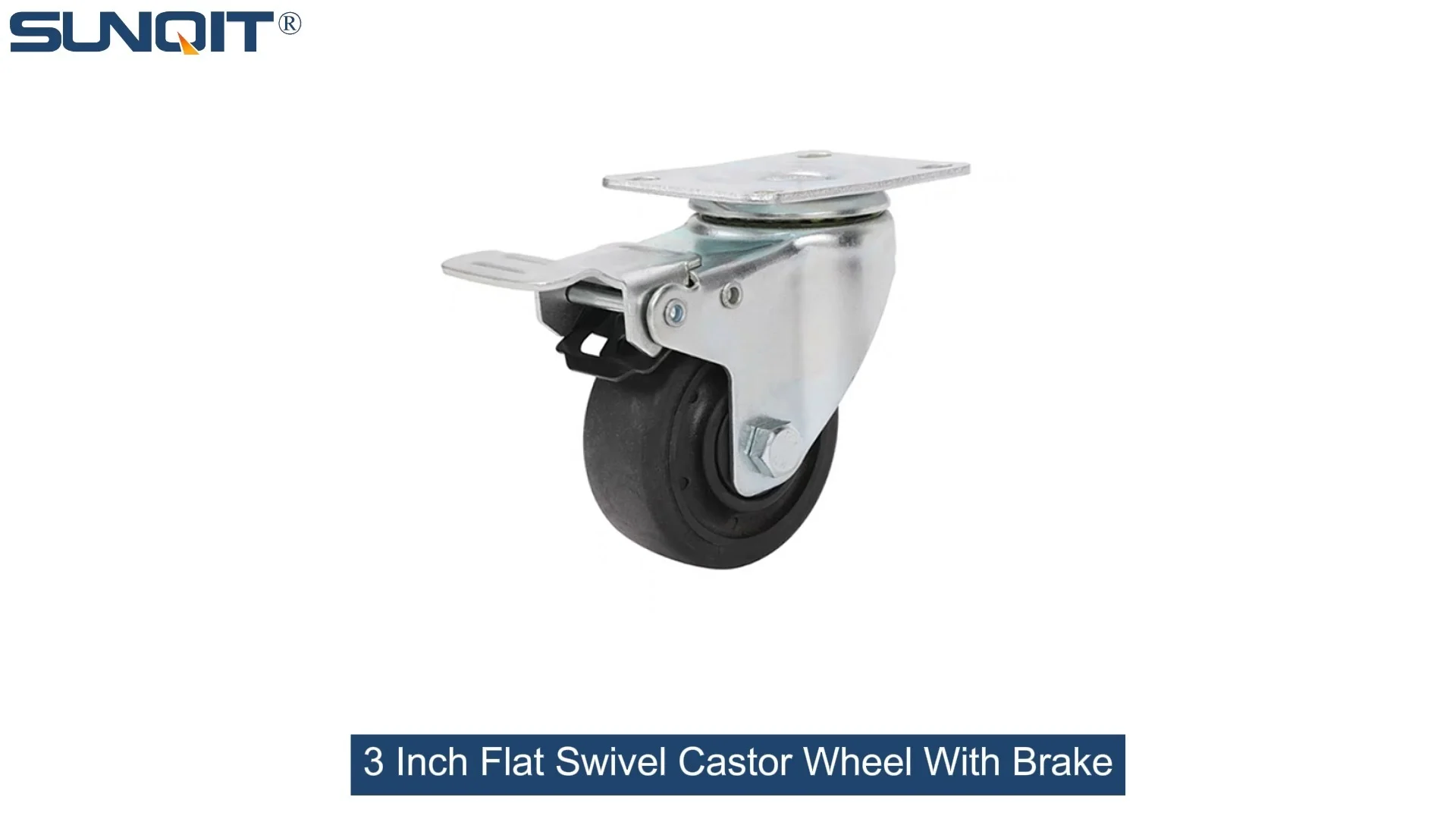
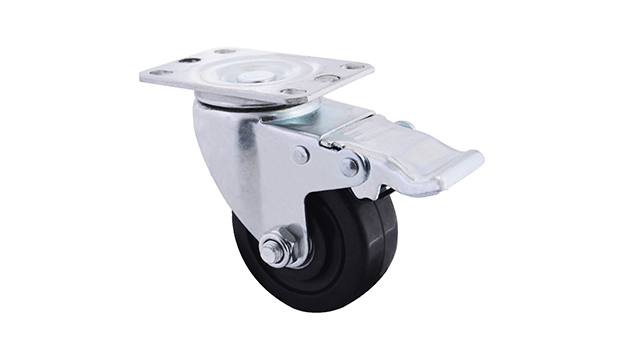
Flat Swivel Castor Wheel With Brake
Chair Casters Ball Bearing Wheels Rubber Base with brake design. Resistant to abrasion, impact and corrosion. Heavy payload can hold 70Kgs per pcs,which can make it works at a stable and smooth status.
In the fast-paced world of telecom, where network outages can disrupt businesses, hospitals, and even emergency services, every second counts. Technicians are the unsung heroes, racing to diagnose issues, replace faulty components, and restore connectivity—often in challenging environments, from cramped server rooms to exposed rooftop antenna arrays. But here's the thing: their tools and workspaces haven't always kept up with the demands of the job. Traditional fixed workstations, bolted to the floor or confined to a single truck, force technicians to waste precious time fetching tools, balancing equipment on unstable surfaces, or struggling to maneuver in tight spaces. That's where mobile telecom maintenance workstations, equipped with flat swivel castor wheel with brake , are changing the game. These setups aren't just about mobility—they're about empowering technicians to work smarter, safer, and faster, no matter where the job takes them.
The Hidden Cost of "Fixed" Workstations in Telecom Maintenance
To understand why mobile workstations matter, let's start with the problems they solve. Telecom maintenance isn't a one-size-fits-all job. A technician might start the day troubleshooting a fiber optic cable in a basement, then move to a cell tower repair in the afternoon, and finish with a server room upgrade at night. Each location has unique challenges: uneven floors, limited space, and the need to carry specialized tools—from crimpers and cable testers to spare transceivers and power supplies. With a traditional fixed workstation, here's what happens:
Wasted Time on Tool Retrieval: A fixed workstation in a truck or workshop means technicians either overload themselves with tools (risking strain or dropped equipment) or make multiple trips back and forth—each trip eating into the time needed to resolve the issue.
Safety Risks: Balancing a laptop, a toolbox, and a spool of cable on a ladder or a rooftop isn't just inefficient—it's dangerous. One wrong move, and a technician could slip, or equipment could fall, causing injury or further damage.
Poor Workflow: Fixed setups often lack organization. Tools get jumbled, parts go missing, and technicians end up rummaging through drawers instead of focusing on the repair. This isn't just frustrating; it's a classic example of "waste" in workflow—exactly the kind of inefficiency the lean system aims to eliminate.
The bottom line? Fixed workstations aren't just slow—they're costly. According to industry estimates, telecom downtime averages $5,600 per minute for businesses, and every minute a technician spends wrestling with their workspace is a minute the network stays offline. Mobile workstations with flat swivel castor wheel with brake address these issues head-on, turning a clunky, static process into a streamlined, on-the-go operation.
Anatomy of a Mobile Telecom Maintenance Workstation: More Than Just Wheels
A mobile telecom workstation isn't just a cart with wheels. It's a carefully designed workbench built for the unique demands of telecom work—durability, organization, and, of course, mobility. Let's break down its key components, with a spotlight on why the flat swivel castor wheel with brake is the unsung hero of the design.
1. The Foundation: Flat Swivel Castor Wheel with Brake—Mobility with Control
At the heart of any mobile workstation are its castors, and not all castors are created equal. Telecom technicians need to move freely across rough terrain—think gravel rooftops, cracked concrete floors, or sloped server room entryways—without sacrificing stability. That's where flat swivel castor wheel with brake shines. Here's why:
360-Degree Swivel for Tight Spaces: Unlike rigid castors that only roll forward and backward, swivel castors pivot on a vertical axis, letting the workstation glide around corners, squeeze through narrow doorways, and position itself exactly where the technician needs it—even in server rooms packed with racks.
Flat Design for Stability: "Flat" castors distribute weight evenly, reducing the risk of tipping when the workstation is loaded with heavy tools (like a 20-pound cable tester or a stack of patch panels). This is critical when working on uneven surfaces, where a single wobbly wheel could spell disaster.
Brake Mechanism You Can Trust: The brake isn't an afterthought here. A high-quality brake locks both the wheel and the swivel motion, ensuring the workstation stays put when the technician leans on it, climbs a ladder next to it, or uses it as a stable surface for delicate tasks like splicing fiber. Imagine working on a rooftop in windy conditions—you don't want your workstation rolling away mid-repair. The brake provides that peace of mind.
Many castors also come with non-marking rubber wheels, which are a must for indoor settings like office server rooms or hospital telecom closets—no scuffing up expensive flooring while you work.
2. The Workbench: A Command Center for Efficiency
The workbench itself is where the magic happens. It's not just a flat surface; it's a modular hub designed to keep tools, parts, and equipment within arm's reach. Here's what sets a telecom-specific mobile workbench apart:
ESD Protection: Telecom components—like circuit boards, modems, and transceivers—are sensitive to electrostatic discharge (ESD). Many mobile workbenches feature ESD-safe surfaces (often made of conductive materials) that ground static electricity, preventing accidental damage to expensive parts. This is a non-negotiable for technicians handling delicate electronics.
Tool Organization: Built-in drawers with dividers, pegboards for hanging tools (like wire strippers and torque wrenches), and side pockets for cables and labels keep everything visible and accessible. No more digging through a messy toolbox—technicians can grab what they need in seconds.
Adjustable Height: Telecom work happens at all levels—kneeling to access underground junction boxes, standing to reach overhead cables, or sitting to configure a router. An adjustable-height workbench lets technicians set the surface at a comfortable level, reducing strain on their backs and shoulders during long jobs.
Lightweight but Durable Frame: Many modern workbenches use aluminum profile for the frame. Aluminum is lightweight enough to push around easily (even when fully loaded) but strong enough to support 200+ pounds of equipment. It's also resistant to rust, which is crucial for outdoor jobs where rain or humidity could damage a steel frame.
3. Lean System Integration: Streamlining Workflow, Reducing Waste
Telecom maintenance is all about efficiency, and mobile workstations align perfectly with lean system principles—eliminating waste, optimizing workflow, and focusing on value. Here's how:
Modularity: A lean system thrives on adaptability. Mobile workstations can be customized with add-ons—like extra shelves for parts, a fold-out writing surface for notes, or a mount for a tablet (to reference schematics on the go)—so technicians only carry what they need for the job. No more hauling around a workstation cluttered with tools for tasks they're not doing that day.
Reduced Setup Time: Instead of spending 15 minutes unpacking a truck and setting up a temporary workspace, technicians can roll the workstation directly to the job site, lock the brakes, and start working. That's 15 minutes saved per job—time that adds up to hours of extra productivity over a week.
Space Efficiency: In crowded areas like data centers, where floor space is at a premium, a mobile workstation can be moved out of the way once the job is done, freeing up room for other tasks. Fixed workstations, by contrast, take up permanent space that could be better used for equipment or additional technicians.
From Concept to Reality: A Day in the Life with a Mobile Workstation
Let's put this all into context with a real-world scenario. Meet Maria, a senior telecom technician with a regional ISP. Her typical day involves responding to service calls across a 50-mile radius, and today's schedule is packed: a fiber cut in a suburban neighborhood, a cell tower antenna repair, and a server room upgrade at a local hospital.
8:00 AM: Fiber Cut in Suburbia
Maria arrives at the scene—a construction crew accidentally dug up a fiber line. The repair site is a muddy patch next to a sidewalk, with limited space for tools. She rolls her mobile workstation (equipped with
flat swivel castor wheel with brake
) right up to the hole, locks the brakes, and starts unpacking. The workbench has a built-in cable spool holder, so she can feed fiber directly from the workstation into the trench. Her tools—fusion splicer, cleaver, and heat shrink oven—are organized in the top drawer, and her laptop sits on the ESD-safe surface, connected to a portable battery pack stored in the lower shelf. No more balancing the splicer on a bucket or running back to the truck for forgotten tools. She finishes the repair in 45 minutes, 20 minutes faster than her old process.
11:30 AM: Cell Tower Repair
Next, Maria heads to a cell tower on the edge of town. The base of the tower is surrounded by gravel, and the climb requires her to carry a tool belt and a few key parts. She parks the truck, rolls the workstation to the tower base, and locks the castors. The workstation's adjustable height lets her set the surface at waist level, so she can prep the antenna brackets while standing comfortably. When she climbs the tower, the workstation stays secure (thanks to the brakes), holding spare bolts and a torque wrench she might need mid-climb. On the way down, she uses the workbench to test the repaired antenna's signal—no more sitting on the ground with a laptop balanced on her knees.
3:00 PM: Hospital Server Room Upgrade
The final job is upgrading switches in a hospital's server room—tight quarters, strict cleanliness rules, and zero tolerance for delays (the hospital can't risk downtime during peak hours). Maria's workstation, with its non-marking rubber castors, glides through the hospital corridors without scuffing floors. In the server room, she maneuvers it between racks, locks the brakes, and uses the fold-out side shelf to hold the new switches. The ESD-safe surface protects the sensitive equipment, and the built-in LED light (another add-on) illuminates the back of the rack, making it easy to connect cables. She finishes the upgrade 30 minutes early, leaving time to document the job before heading back to the office.
At the end of the day, Maria logs 3 completed jobs instead of the usual 2—not because she rushed, but because her mobile workstation eliminated the wasted time and frustration of her old setup. That's the power of a tool that's designed with technicians, not against them.

Traditional vs. Mobile: A Comparison That Speaks for Itself
Still not convinced? Let's put traditional fixed workstations head-to-head with mobile setups featuring flat swivel castor wheel with brake . The difference is clear:
| Feature | Traditional Fixed Workstation | Mobile Workstation with Flat Swivel Castor Wheel with Brake |
|---|---|---|
| Mobility | Stuck in one location; requires technicians to carry tools to the job site. | Rolls smoothly to any location; technicians bring the workstation to the problem, not the other way around. |
| Tool Accessibility | Tools are scattered between truck, toolbox, and workstation; multiple trips needed. | All tools, parts, and equipment organized in one place; everything within arm's reach. |
| Space Efficiency | Occupies permanent floor space; can't be moved to accommodate other tasks. | Rolls out of the way when not in use; ideal for small server rooms or crowded job sites. |
| Safety | Risk of falls from carrying heavy tools; unstable makeshift work surfaces (e.g., buckets, ladders). | Stable, braked base reduces tipping; ESD protection for sensitive equipment; ergonomic design reduces strain. |
| Adaptability | Fixed design; can't be reconfigured for different jobs (e.g., fiber splicing vs. antenna repair). | Modular add-ons (shelves, tool holders, battery packs) let technicians customize for each task; lean system principles in action. |

Why Material Matters: The Role of Aluminum Profile in Durability and Weight
We've mentioned aluminum profile a few times, and for good reason. When building a mobile workstation, the frame material is a make-or-break factor. Steel is strong but heavy—too heavy for a single technician to push around all day. Plastic is lightweight but flimsy, unable to support the weight of telecom tools. Aluminum profile hits the sweet spot, and here's why it's the material of choice for modern mobile workstations:
Strength-to-Weight Ratio: Aluminum is about 1/3 the weight of steel but still strong enough to support 200+ pounds of equipment. This means the workstation is easy to maneuver (even on rough terrain) but won't buckle under the weight of a fiber splicer or a stack of patch panels.
Rust and Corrosion Resistance: Telecom work often takes technicians outdoors—rain, snow, humidity, or salty coastal air can wreak havoc on metal frames. Aluminum naturally forms a protective oxide layer, so it won't rust or corrode, ensuring the workstation lasts for years (even with heavy use).
Modularity: Aluminum profiles are designed with T-slots—grooves running along the length of the frame that let technicians attach shelves, tool holders, or other accessories with simple bolts or brackets. Need an extra shelf for a job? Just slide in a bracket and secure it. Want to add a cable management bar? Clip it into the T-slot. This modularity aligns perfectly with lean system principles, letting teams adapt the workstation to evolving needs without buying a whole new setup.
Clean, Professional Look: Unlike steel, which can scratch and chip, aluminum maintains a smooth, sleek finish—important for client-facing jobs, like hospital or corporate server room visits. It's easy to wipe clean, too, which matters in environments where dust or debris could damage sensitive equipment.
The Future of Telecom Maintenance: Mobile, Modular, and Ready for Anything
As telecom networks grow more complex—with 5G rollouts, fiber-to-the-home expansions, and the rise of edge computing—technicians will face even greater demands. Fixed workstations, stuck in the past, simply can't keep up. Mobile workstations, with their flat swivel castor wheel with brake , workbench customization, and lean system integration, are more than a convenience—they're a necessity.
Imagine a future where every telecom technician has a workstation tailored to their specific role: fiber specialists with built-in cable spool holders and fusion splicer mounts, antenna technicians with tool hooks for climbing gear, and server room experts with ESD workbenches and integrated cable testers. All of them mobile, all of them adaptable, all of them designed to turn "I can't reach that" or "I forgot my tool" into "I've got this."
At the end of the day, it's simple: telecom maintenance is about keeping the world connected. And to do that, technicians need tools that keep them connected—to their tools, their work, and the solutions that make their jobs easier. Mobile workstations with flat swivel castor wheel with brake aren't just equipment; they're a promise to technicians that their work matters, and their workspace should work as hard as they do.
Because in telecom, the best connection starts with the right workstation.